BaahukMed

AI Medical Mastery — one app from MBBS to NEET SS

Stop watching, Start scoring

  • 90,000+MCQs — MBBS, NEET PG, MD/MS/DNB, NEET SS
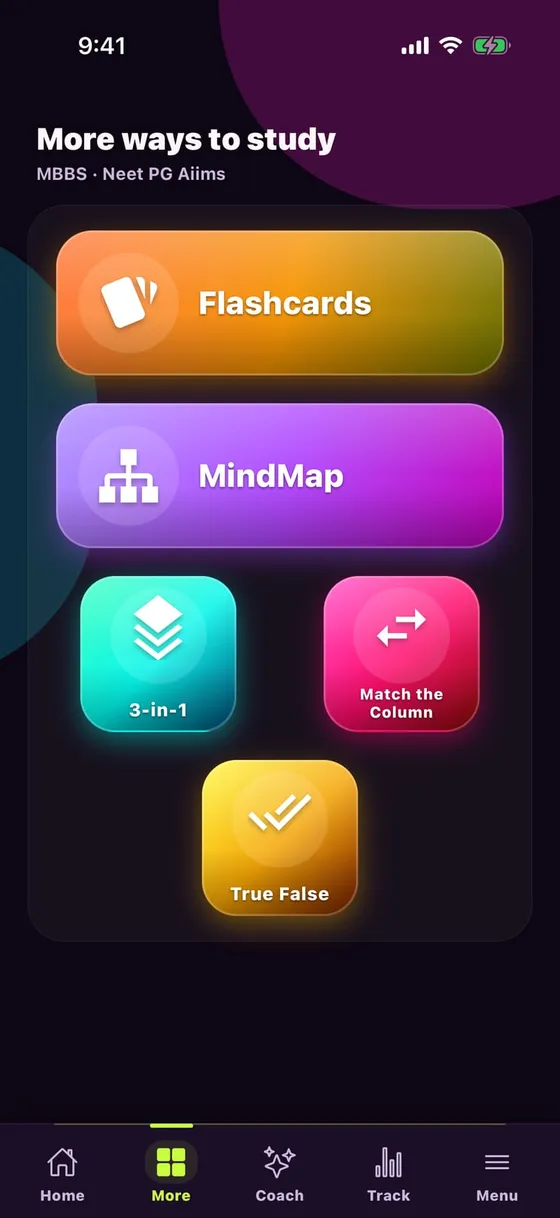
  • 10study formats — MCQ, Flashcards, MindMap, True/False…
  • 24×7AI doubt solving — Ask AI on every MCQ

Raise your hand — which of these is your problem?

MCQ and Flashcards — what every tap does

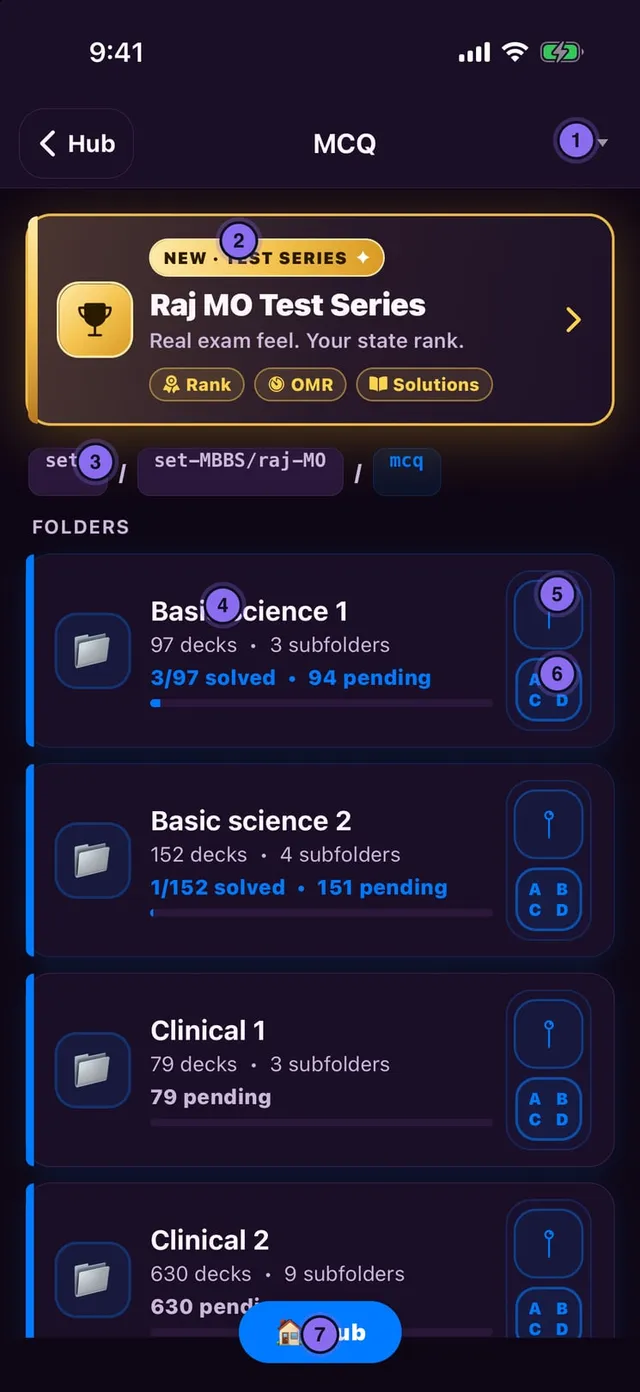
Find the number on the screenshot; the same number below says what one tap does.

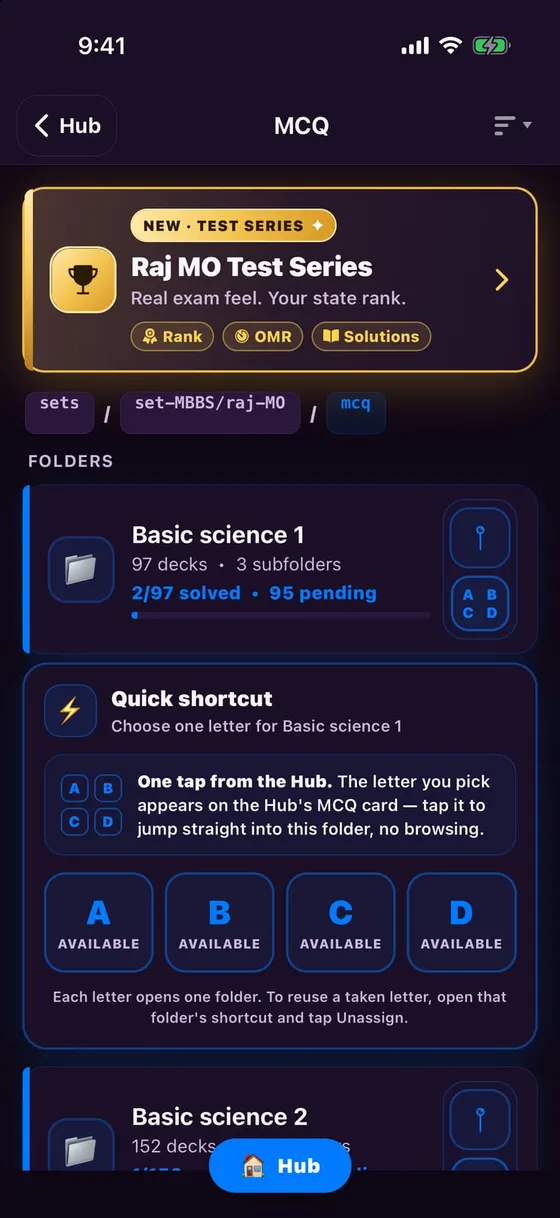
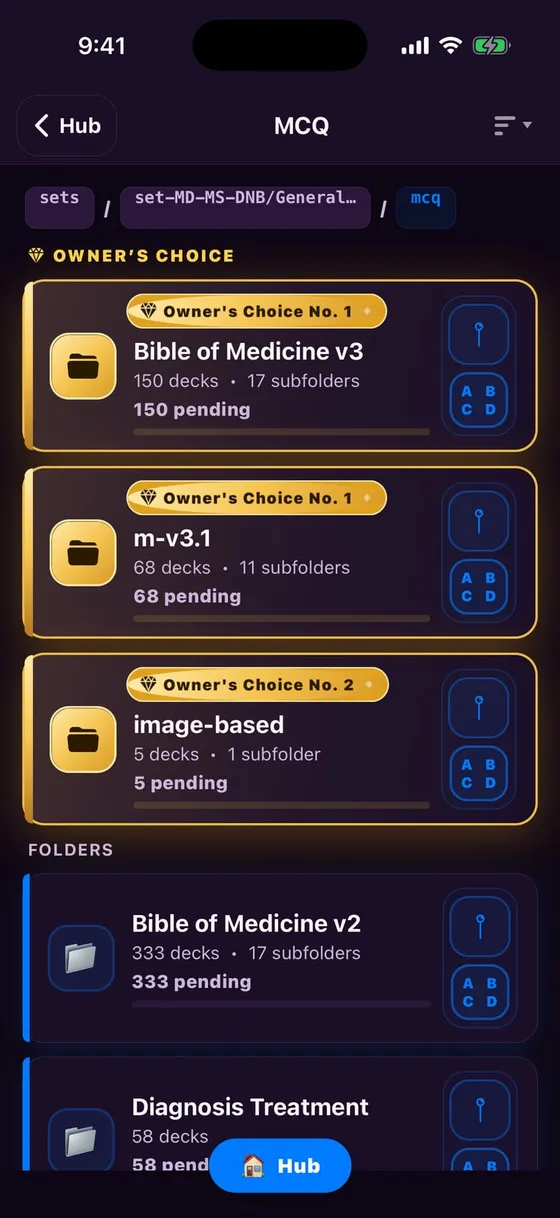
MCQ folders — every button

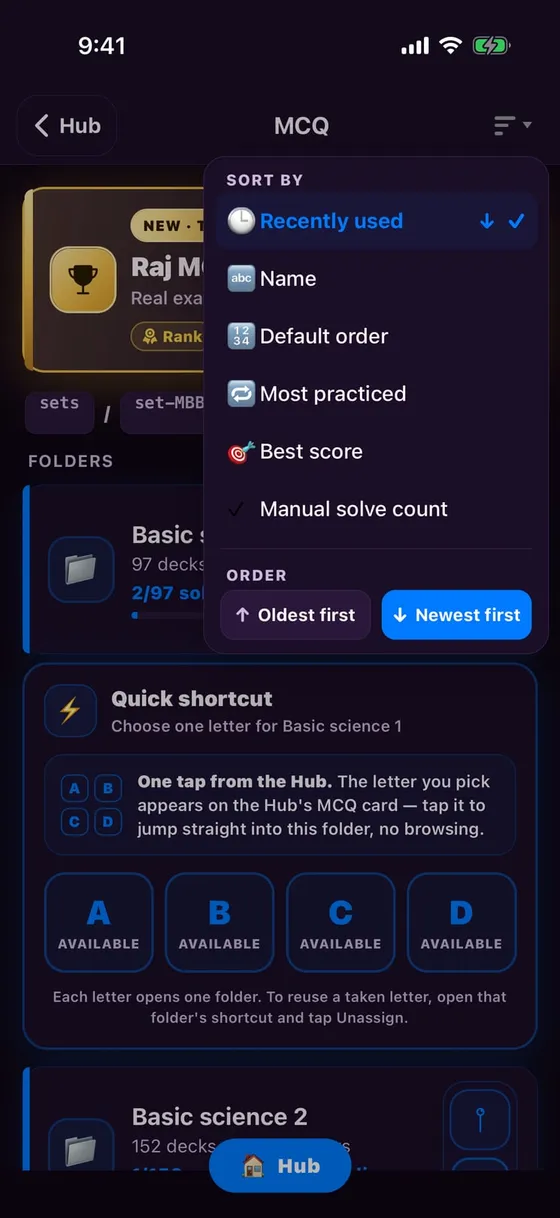
  1. 1Sort: Recently used, Name, Most practiced, Best score…
  2. 2Shortcut to the Raj MO Test Series
  3. 3Breadcrumb chip — tap to jump back to that level
  4. 4Open the folder; solved / pending shown below
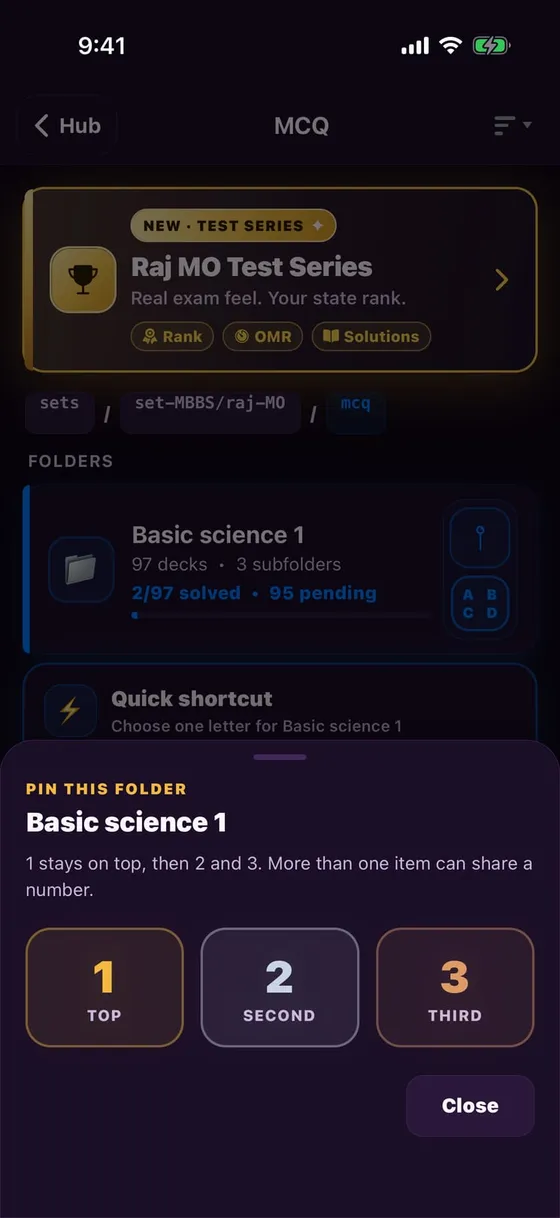
  5. 5📍 Pin — keep the folder on top as 1, 2 or 3
  6. 6ABCD — put this folder on a Home A/B/C/D key
  7. 7🏠 Hub — straight back to Home
MCQ folders — every button

Small folder tools

ABCD: put a folder on a Home A–D key
📍 Pin: 1 · 2 · 3 — always on top
Sort: Recently used, Name, Most practiced, Best score
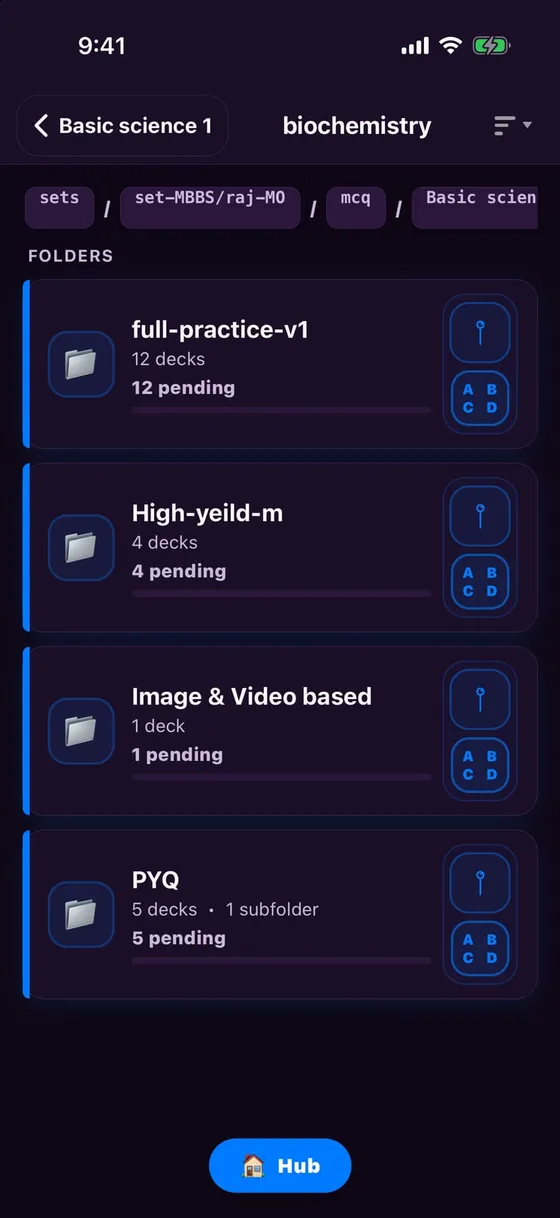
Each subject: Full practice, High-yield, Image & Video, PYQ

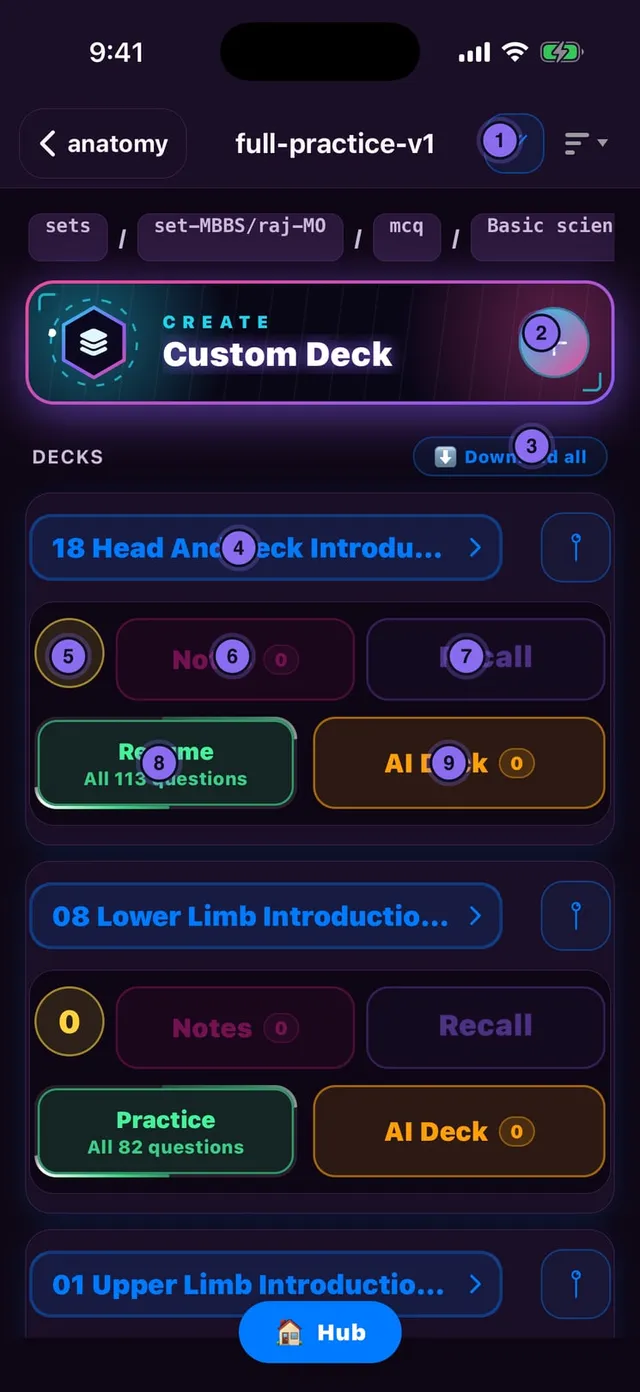
Deck card — every button

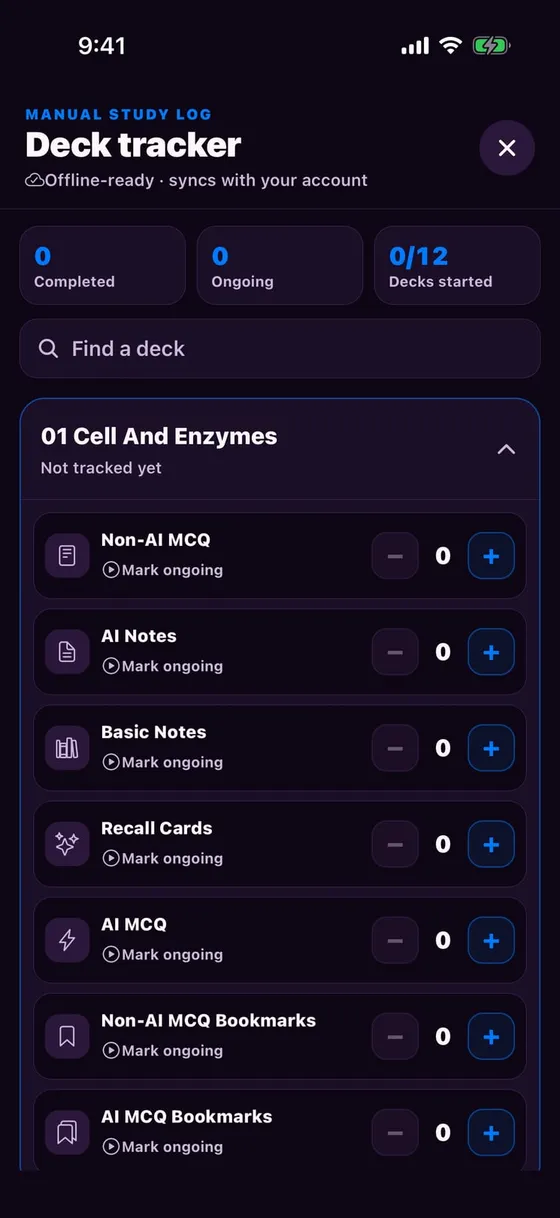
  1. 1✓✓ Deck tracker — which deck, how many rounds, which mode
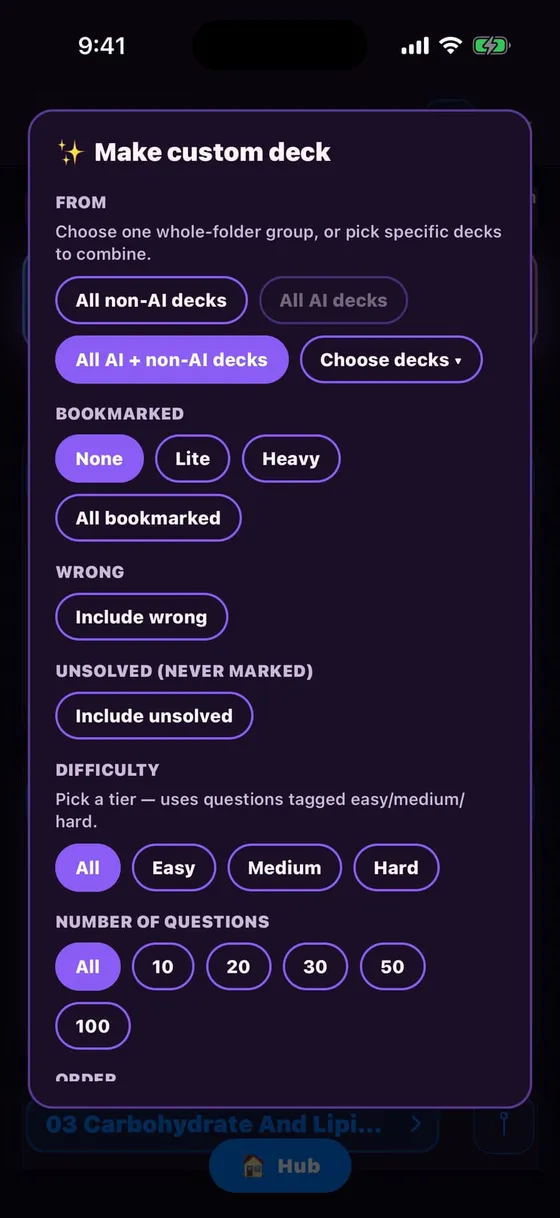
  2. 2Custom Deck — build your own from bookmarks / wrong / unsolved
  3. 3Download all — whole folder offline
  4. 4Deck title — Choose Mode screen (Exam is here)
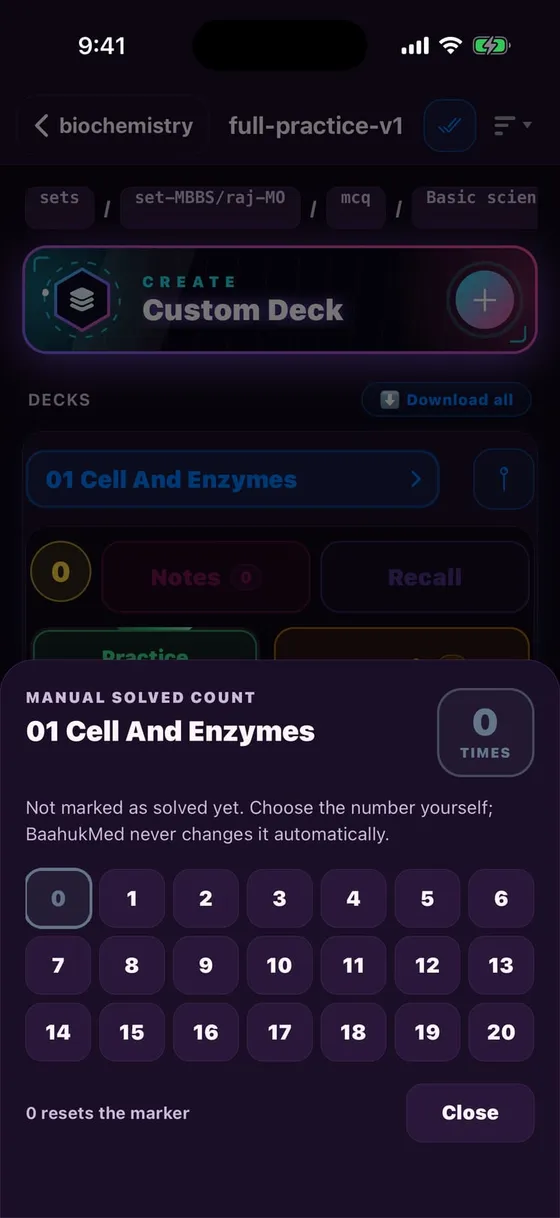
  5. 5Counter — how many times finished; set it yourself
  6. 6Notes — your custom notes for this deck
  7. 7Recall — Recall Cards from your notes
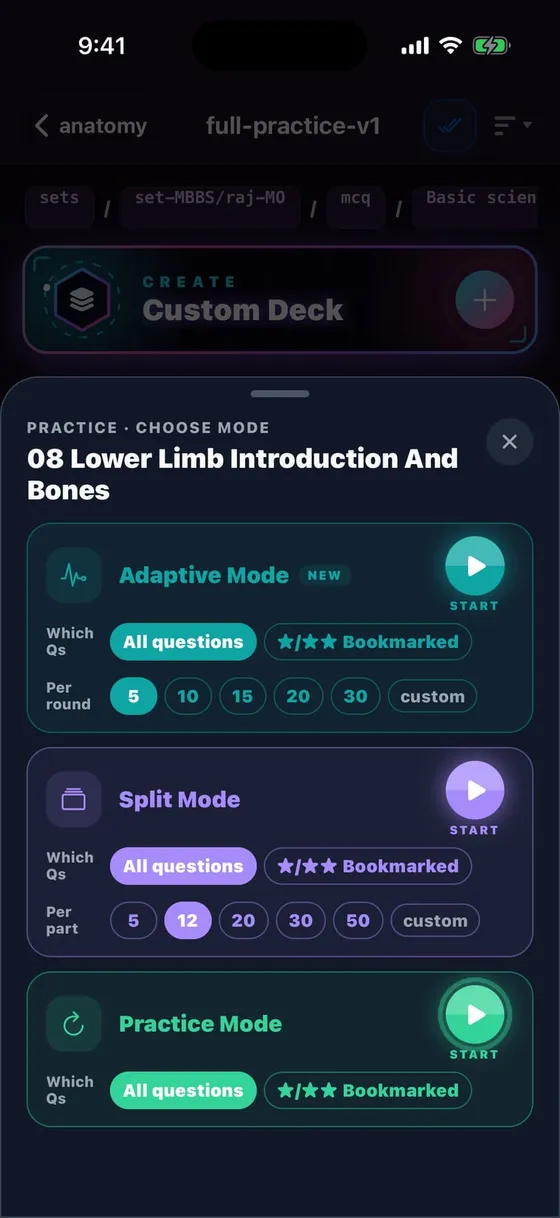
  8. 8Practice / Resume — Adaptive · Split · Practice sheet
  9. 9AI Deck — fresh MCQs from your mistakes
Deck card — every button

Deck tools

Deck tracker: a manual study log per deck
Custom Deck: from Bookmarked, Wrong, Unsolved, Difficulty
Counter: how many times you finished — 0 resets
Practice sheet: Adaptive · Split · Practice, All or ★/★★

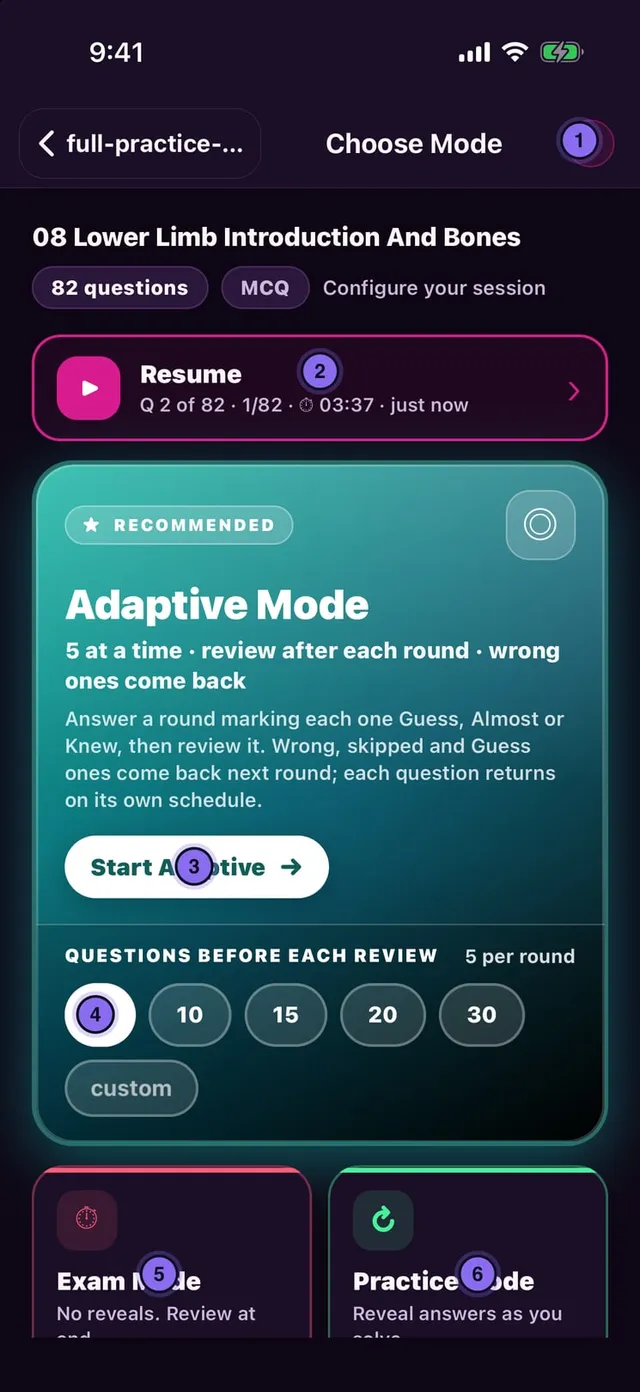
Choose Mode — which mode when

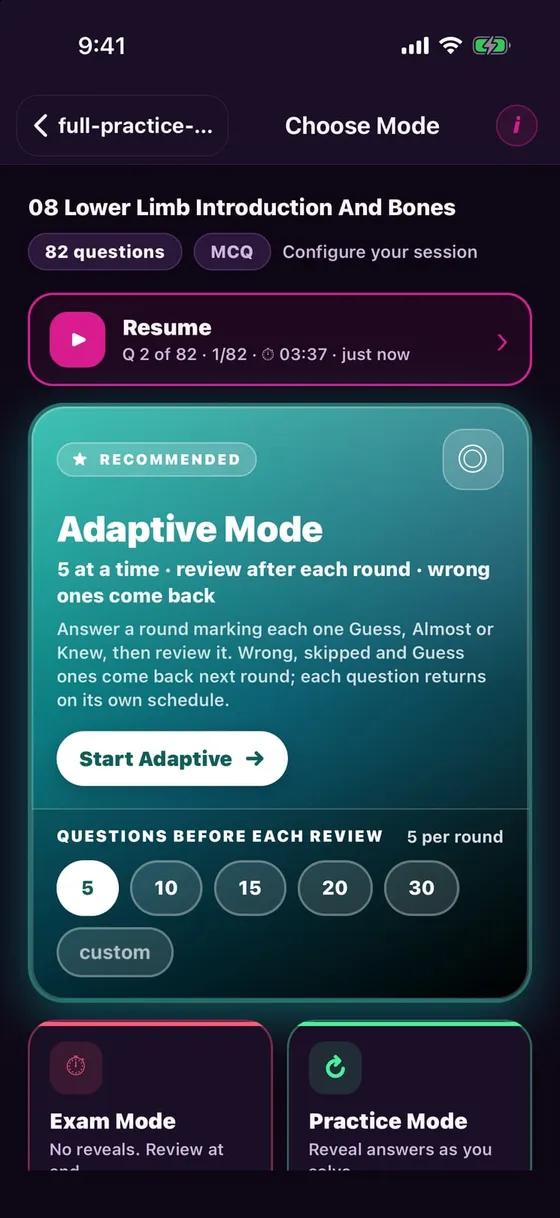
  1. 1i — the "how this works" guide
  2. 2Resume — continue where you left off
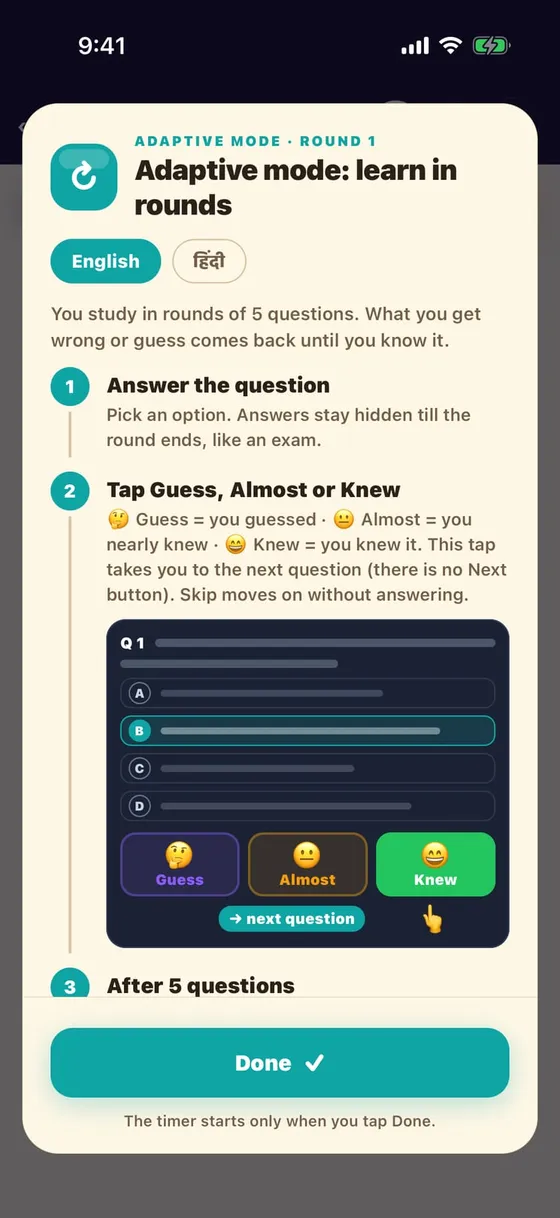
  3. 3Start Adaptive — rounds of 5, wrong ones return
  4. 4Round size 5 / 10 / 15 / 20 / 30 / custom
  5. 5Exam — no answers until the end, then review
  6. 6Practice — answer after each question
Choose Mode — which mode when

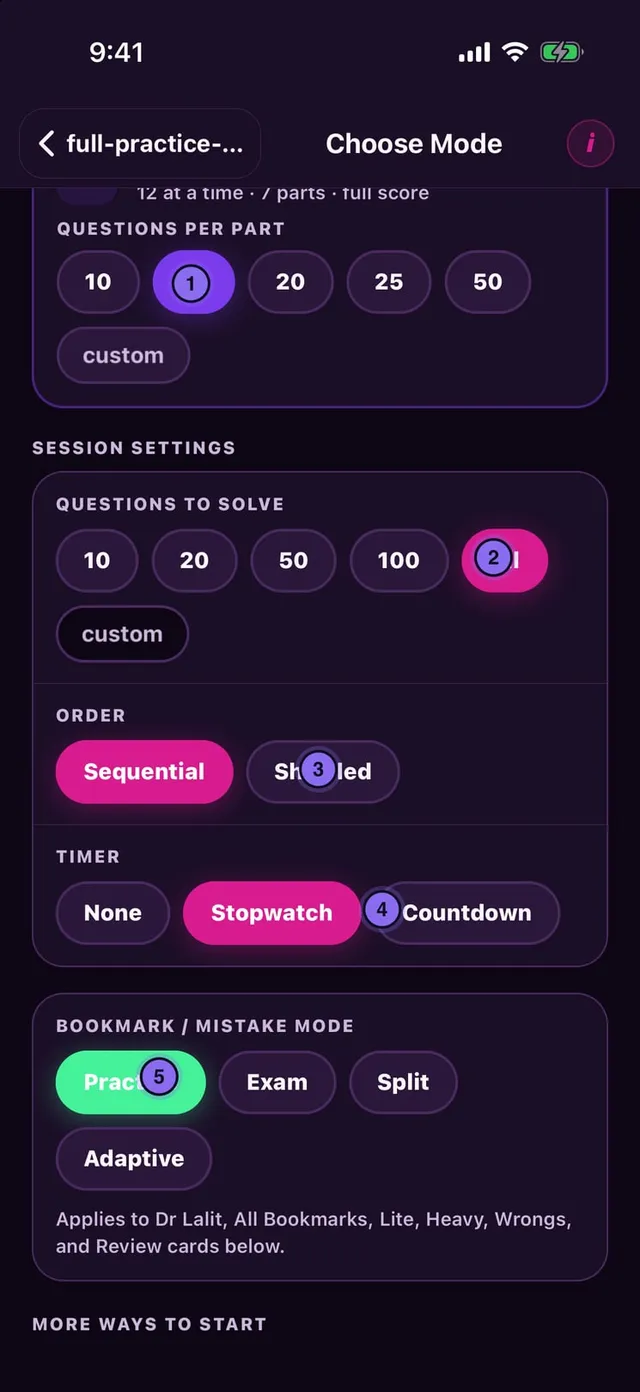
Session settings

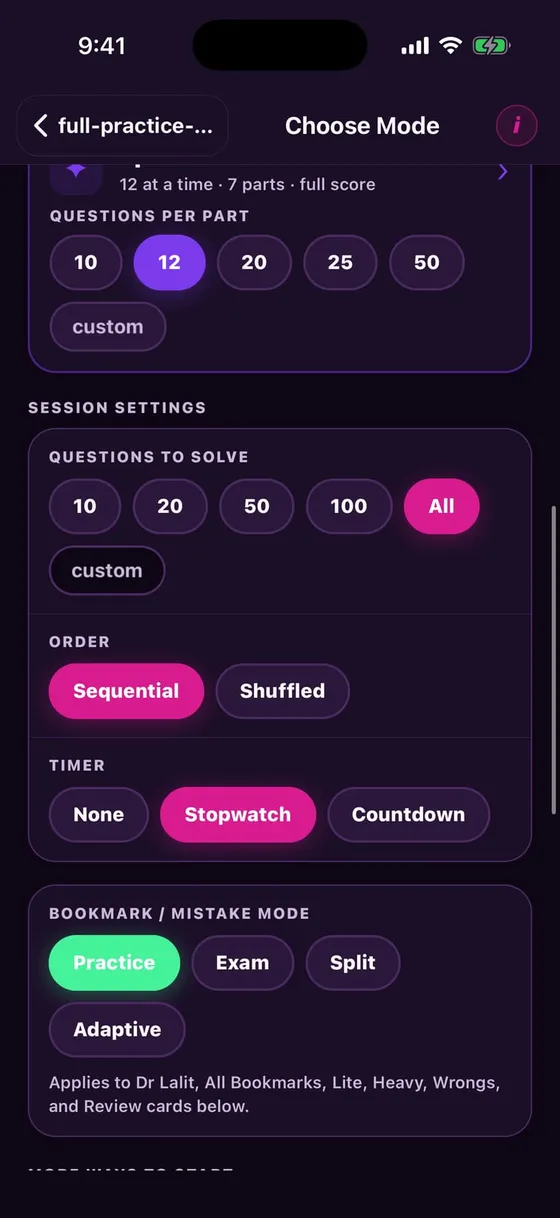
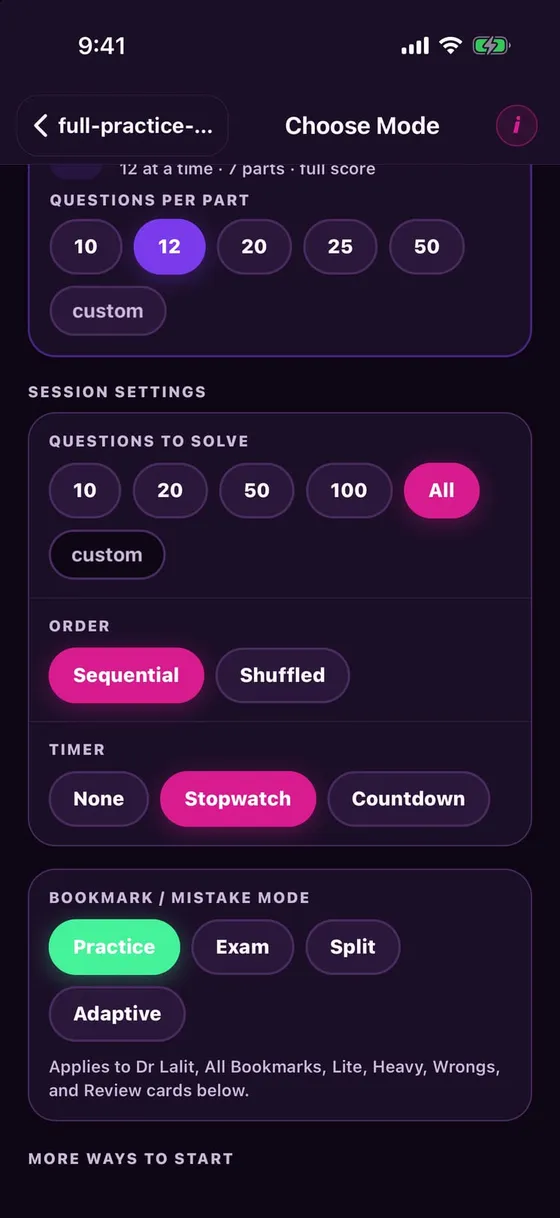
  1. 1Split — a big deck in parts of 12
  2. 2How many: 10 / 20 / 50 / 100 / All
  3. 3Order: Sequential or Shuffled
  4. 4Timer: None / Stopwatch / Countdown
  5. 5Which mode the bookmark / mistake cards open in
Session settings

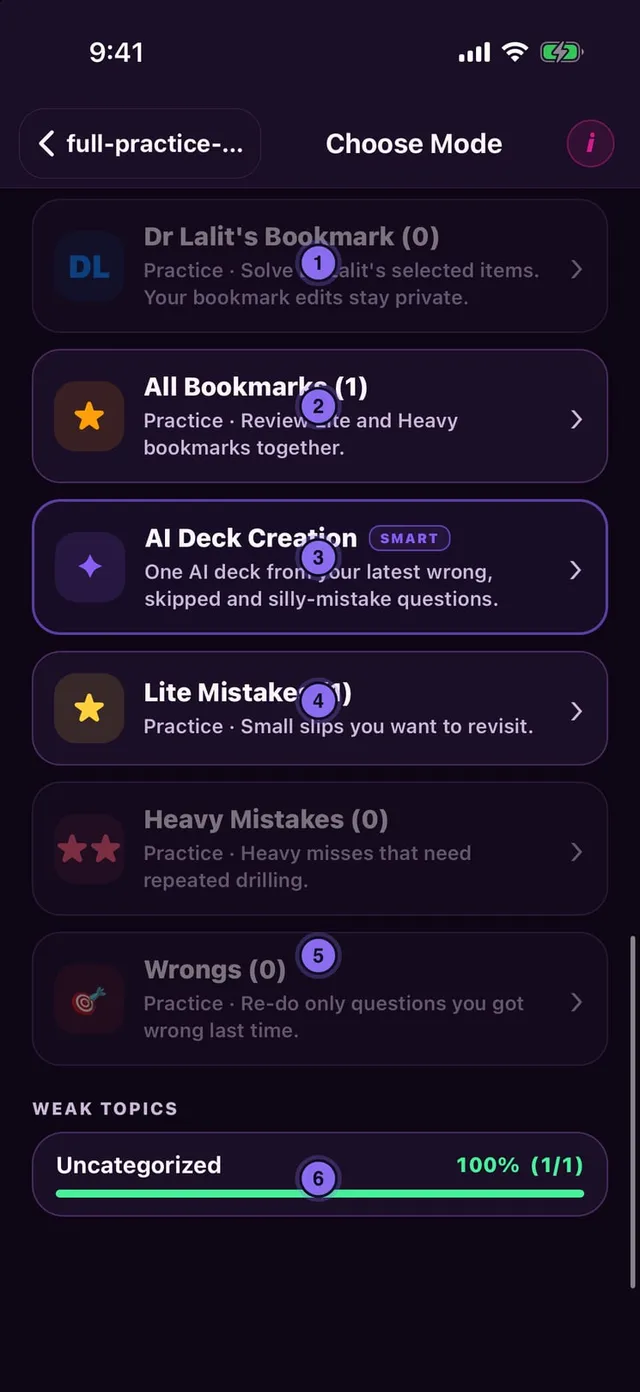
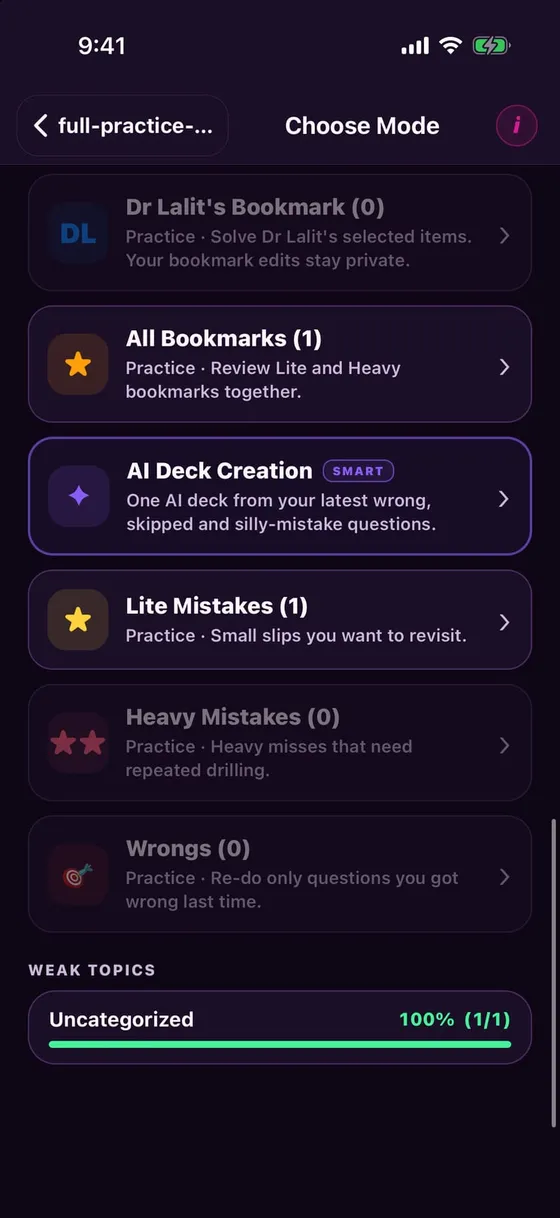
Revision shortcuts

  1. 1Dr Lalit's Bookmark — hand-picked important questions
  2. 2All Bookmarks — ★ and ★★ together
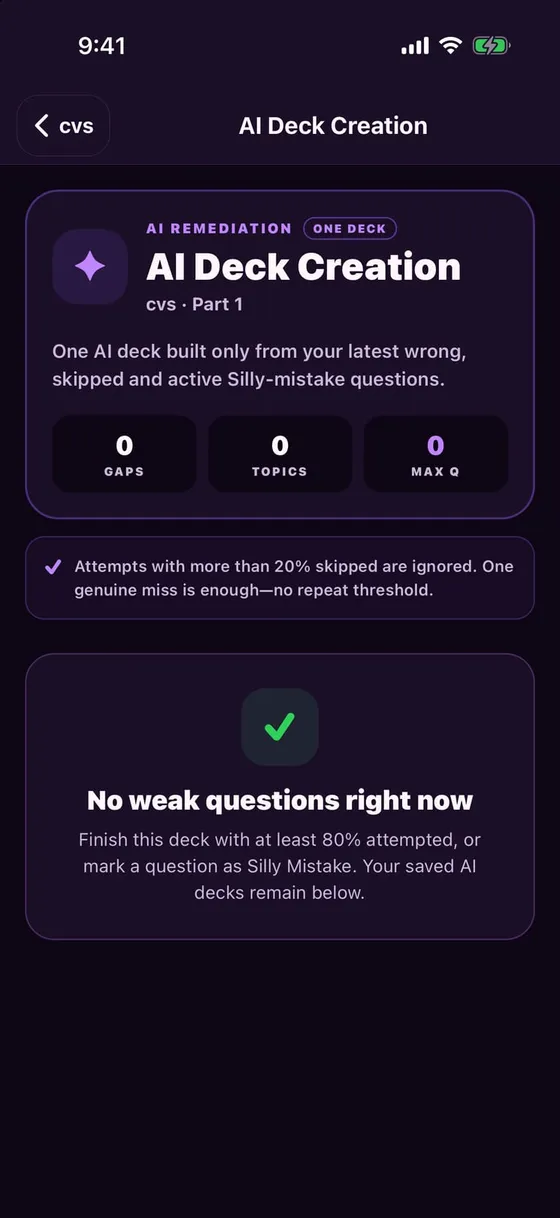
  3. 3AI Deck Creation — one deck from wrong + skipped + silly
  4. 4Lite / Heavy Mistakes — small or big slips
  5. 5Wrongs — only last time's wrong answers
  6. 6Weak topics — accuracy by topic
Revision shortcuts

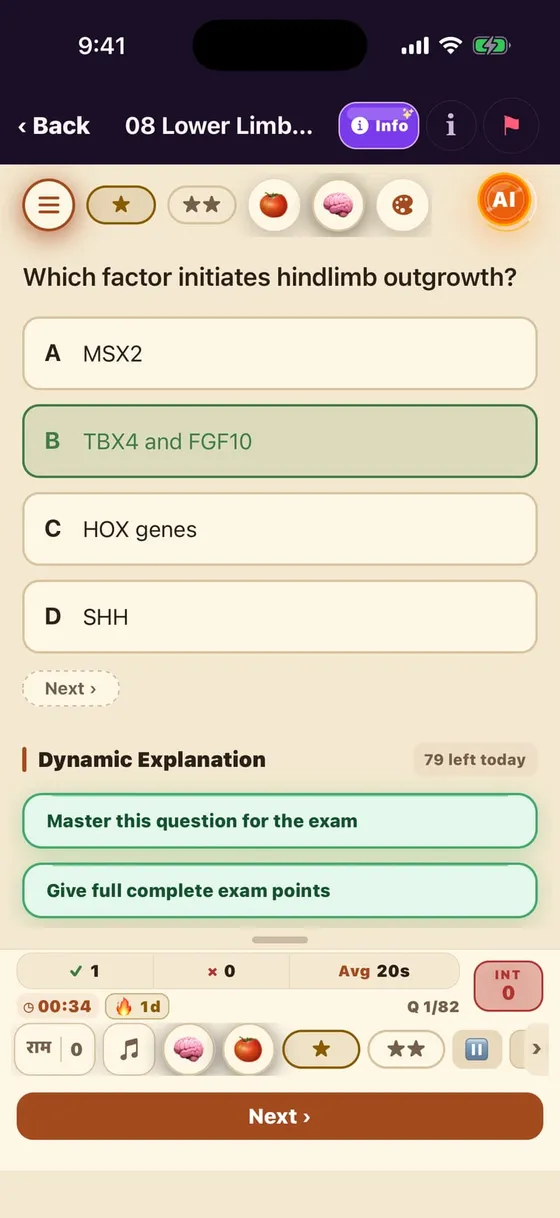
MCQ screen — top buttons

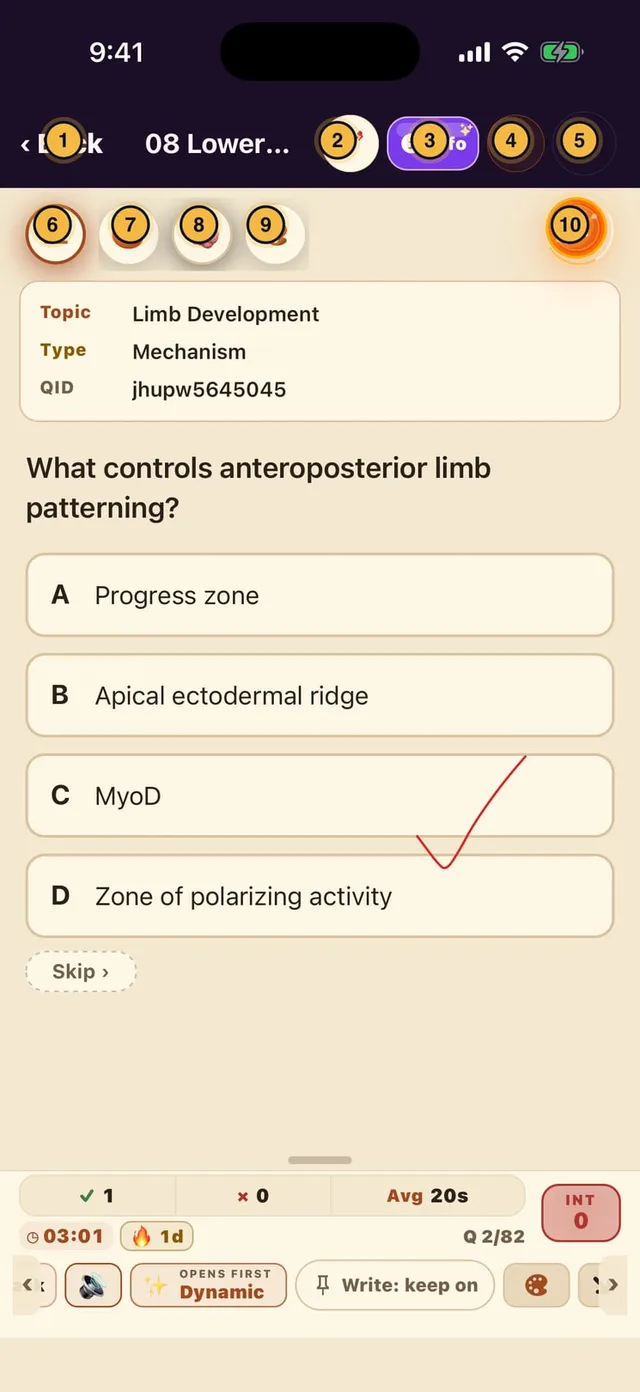
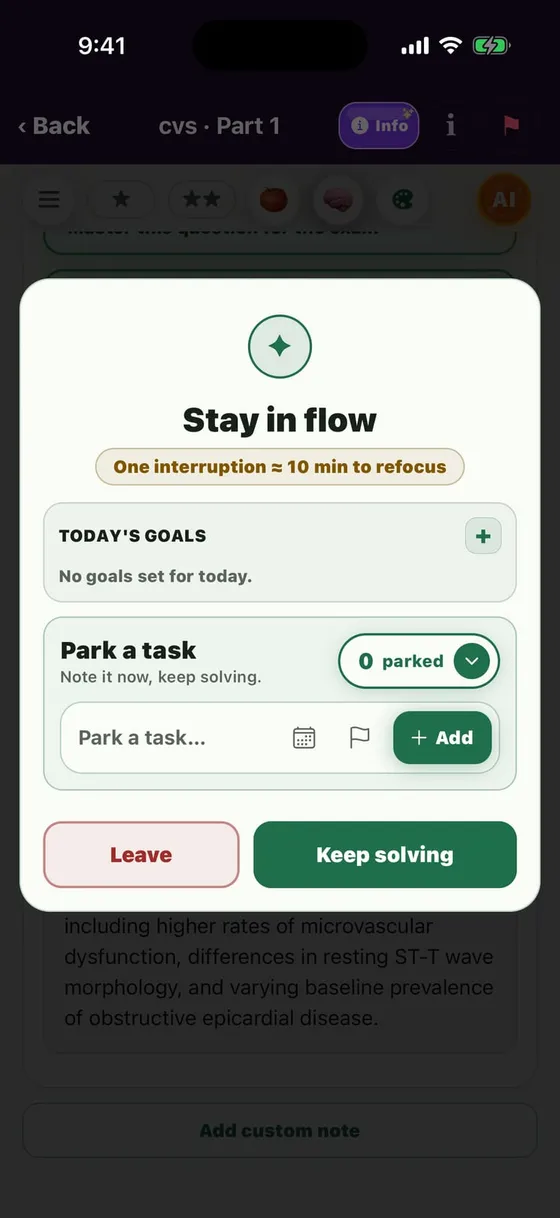
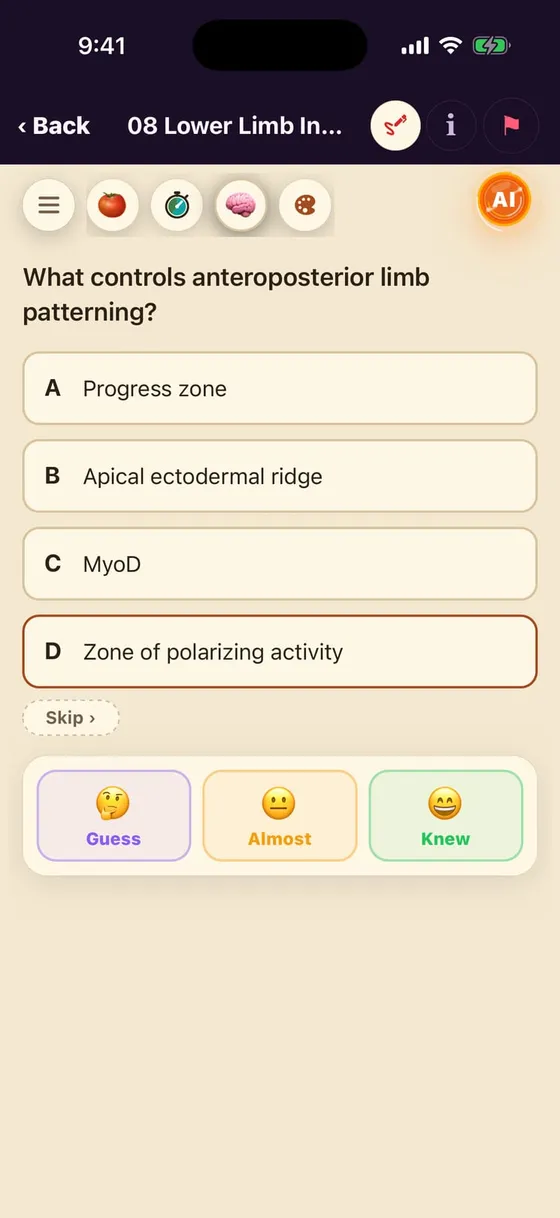
  1. 1Back — "Stay in flow" check before leaving
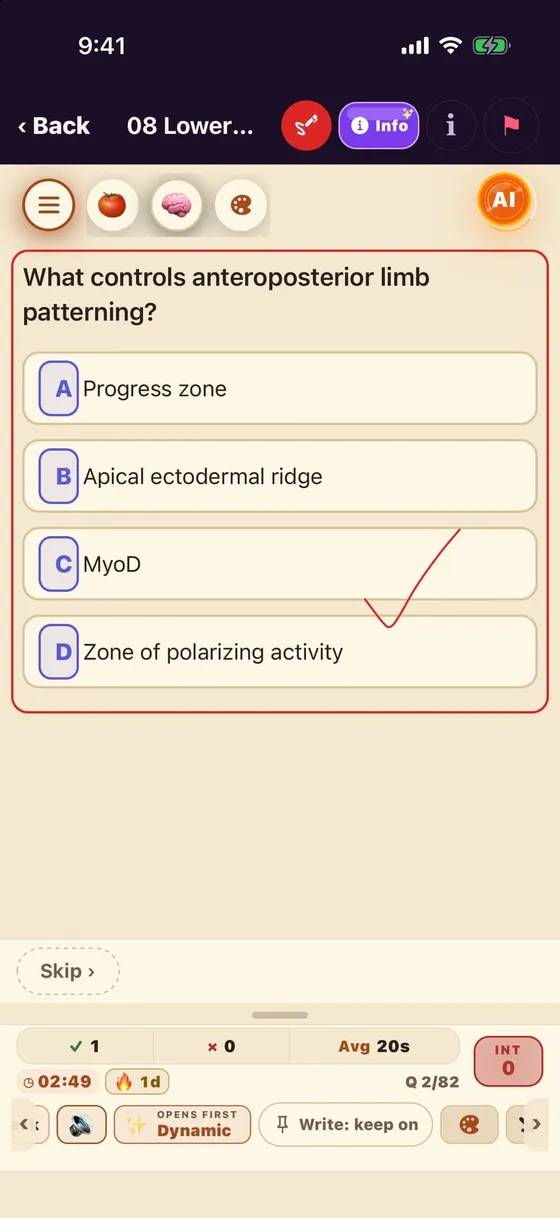
  2. 2✍︎ Write mode — draw on the question with a finger
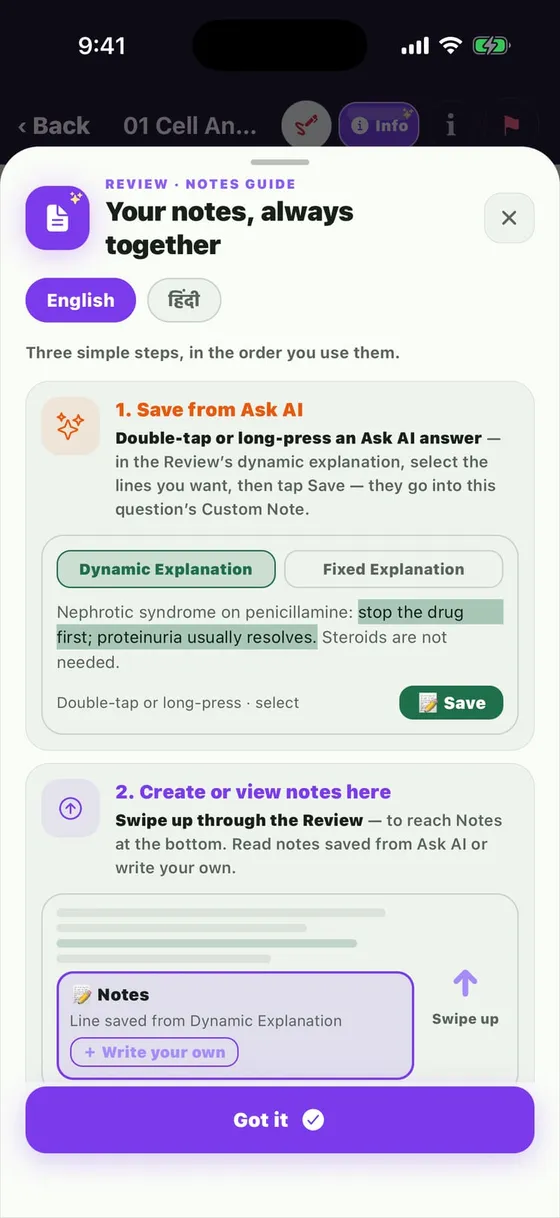
  3. 3Info — how to save notes (Hindi too)
  4. 4i — Topic, Type, Question ID
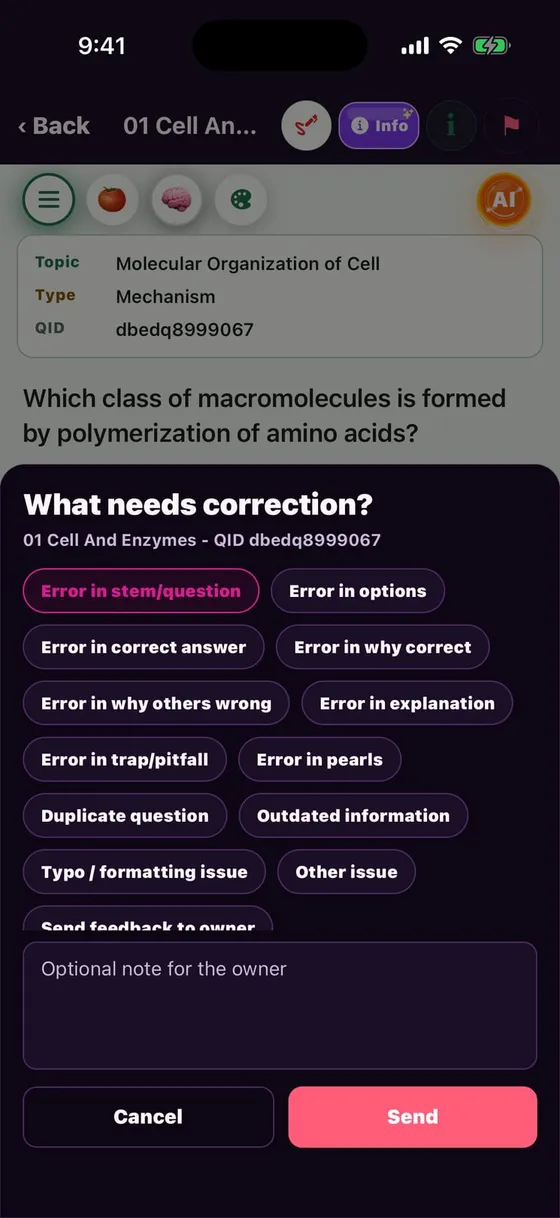
  5. 5🚩 Report an error
  6. 6☰ Show / hide the study bar
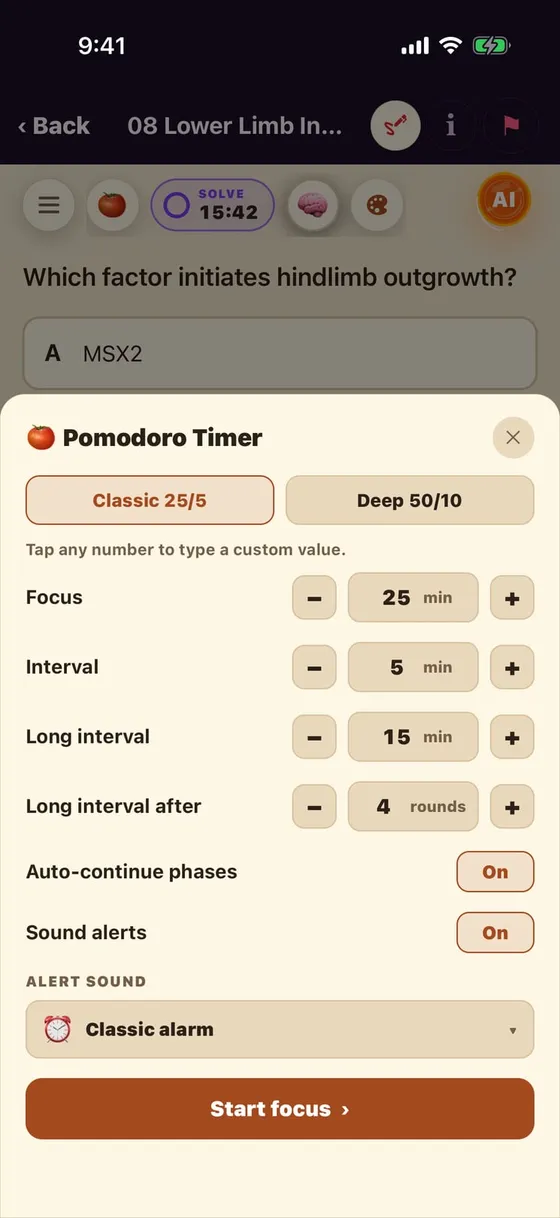
  7. 7🍅 Pomodoro
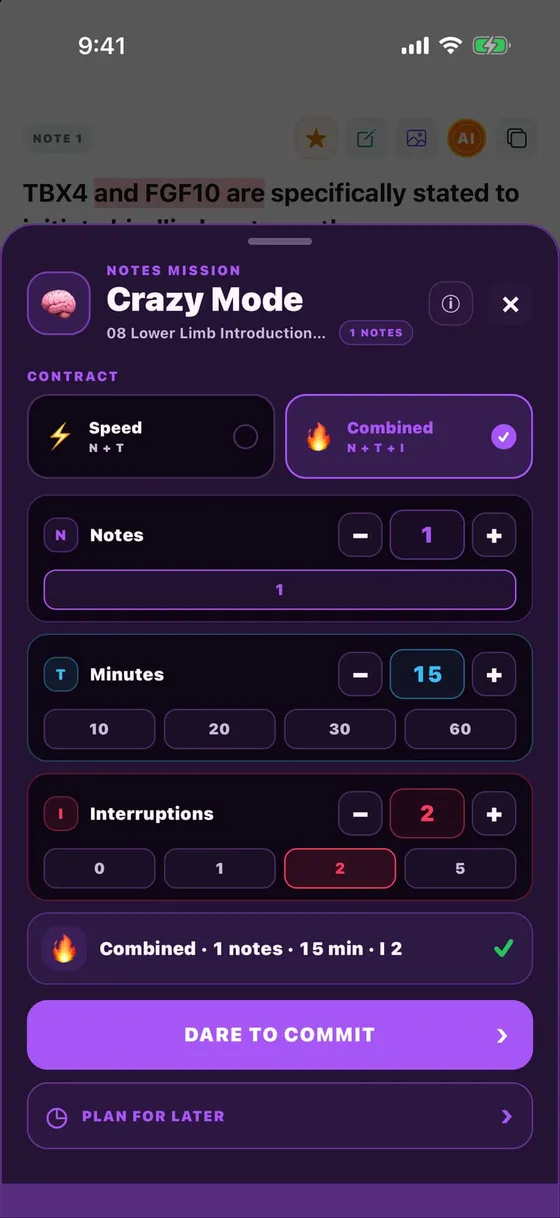
  8. 8🧠 Hell Mode
  9. 9🎨 Appearance — text size + reading colour
  10. 10AI — Doubt / Coach menu
MCQ screen — top buttons

After answering — the study bar

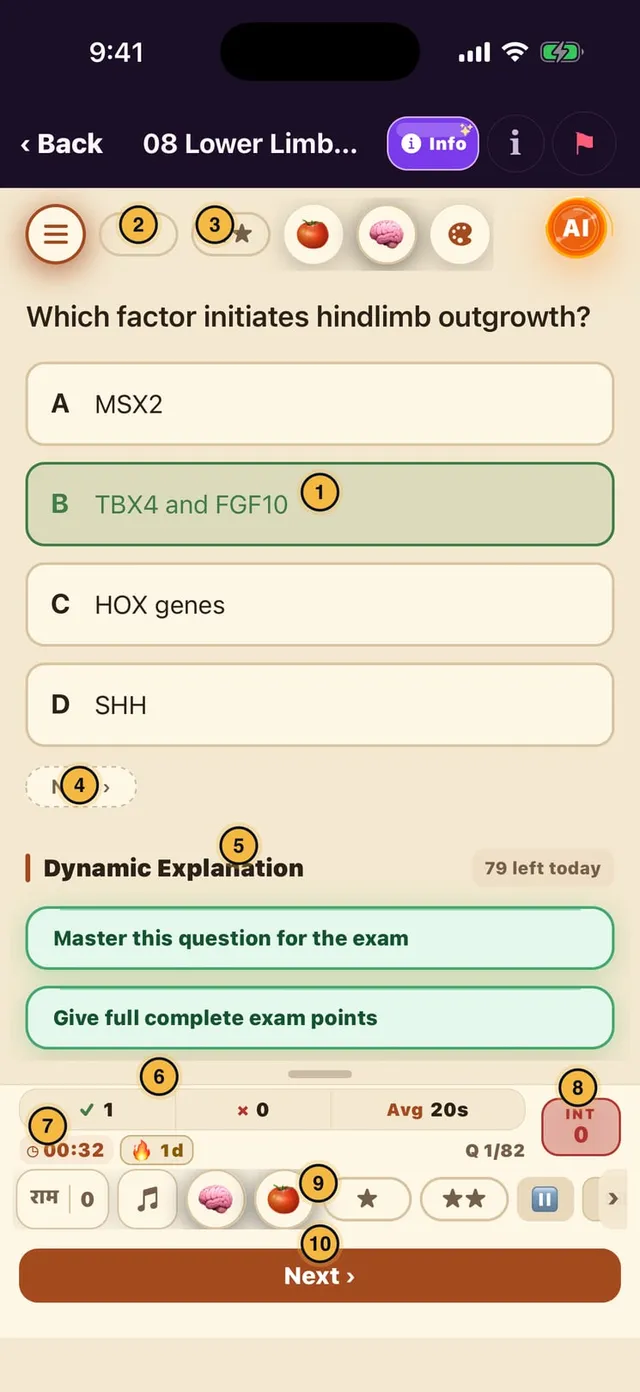
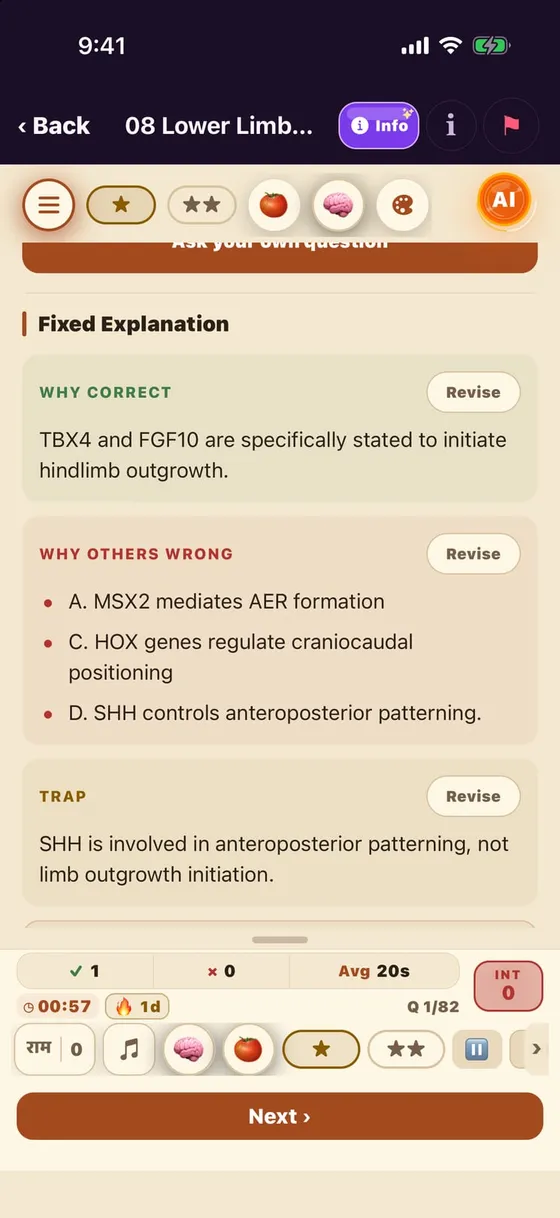
  1. 1Tap an option to answer; green = correct
  2. 2★ Lite bookmark (after answering)
  3. 3★★ Heavy bookmark
  4. 4Next › — the small pill works too
  5. 5Dynamic Explanation — AI prompts (79 left today)
  6. 6✓ right · ✗ wrong · Avg time
  7. 7Timer · 🔥 streak · Q 1/82
  8. 8INT — count an interruption yourself
  9. 9Tools rail — swipe sideways
  10. 10Next — the big main button
After answering — the study bar

Tools rail — every tool

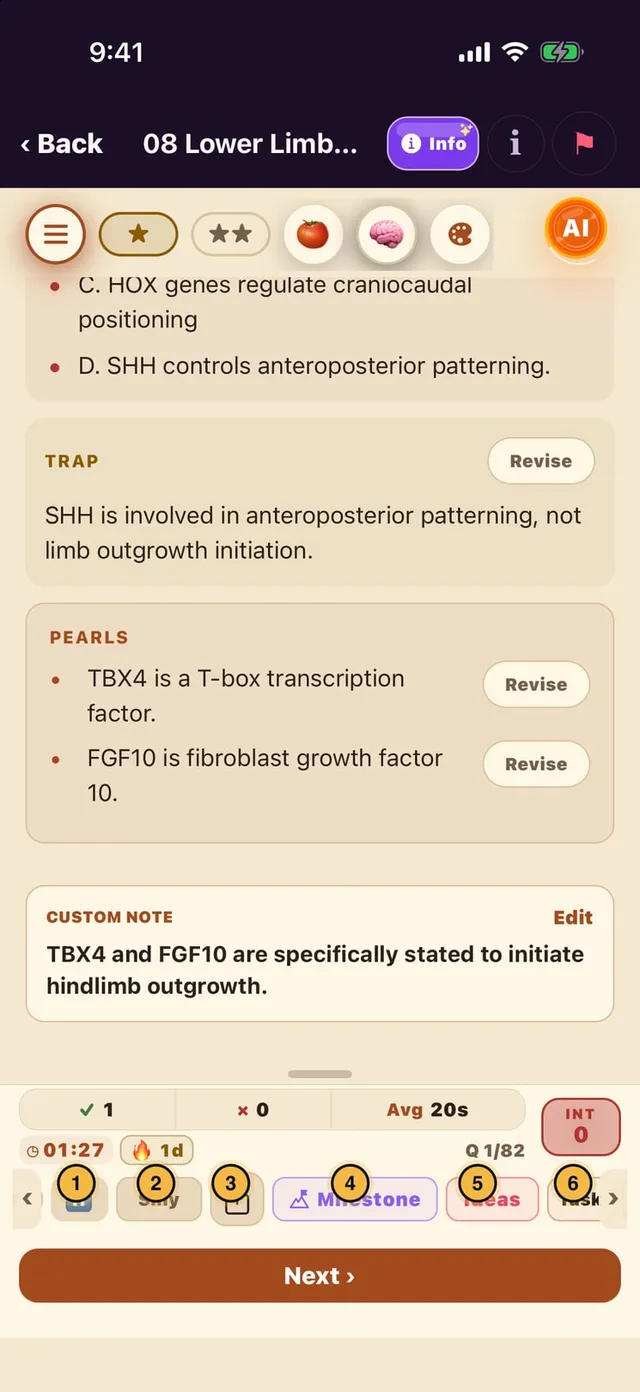
  1. 1⏸ Pause
  2. 2Silly — "knew it, still got it wrong"
  3. 3Share — send a picture of the question
  4. 4Milestone — check your big goal
  5. 5Ideas — a one-minute break
  6. 6Task — park a thought
Tools rail — every tool

Tools rail — the rest

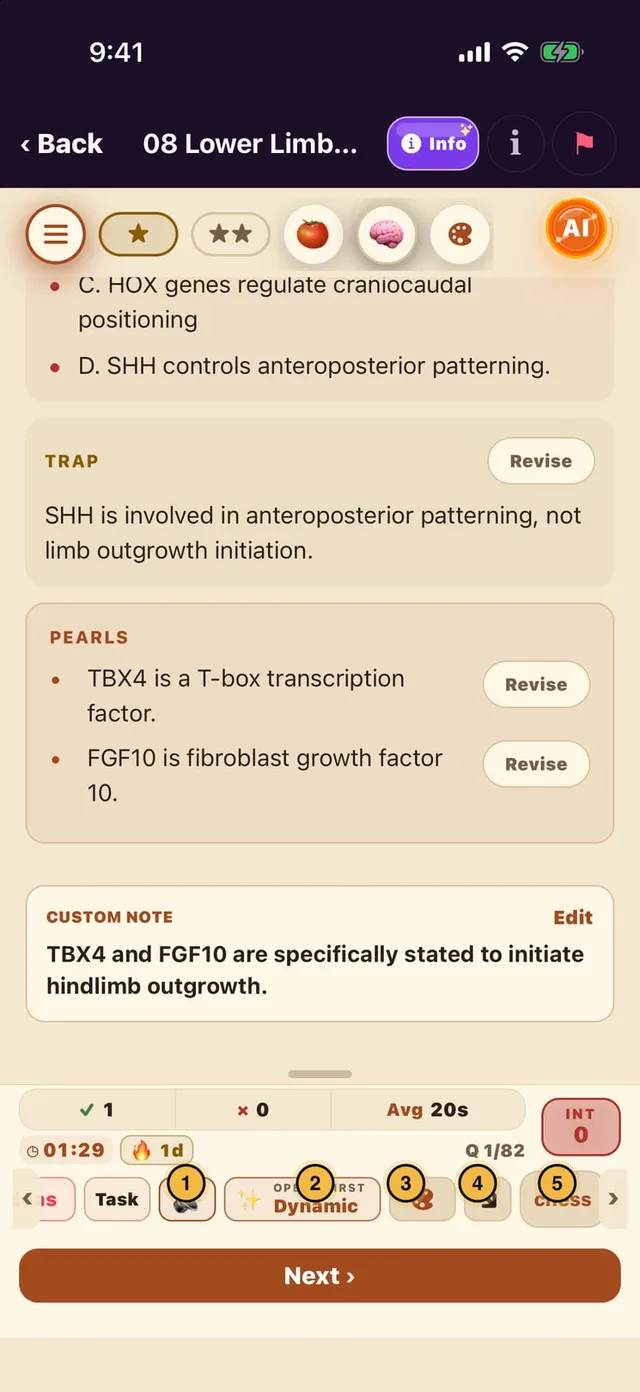
  1. 1🔊 Sound / haptics
  2. 2Opens first: Dynamic or Fixed explanation on top
  3. 3🎨 Appearance
  4. 4↘ Move the dock to another corner
  5. 5chess — offline break, position saved
Tools rail — the rest

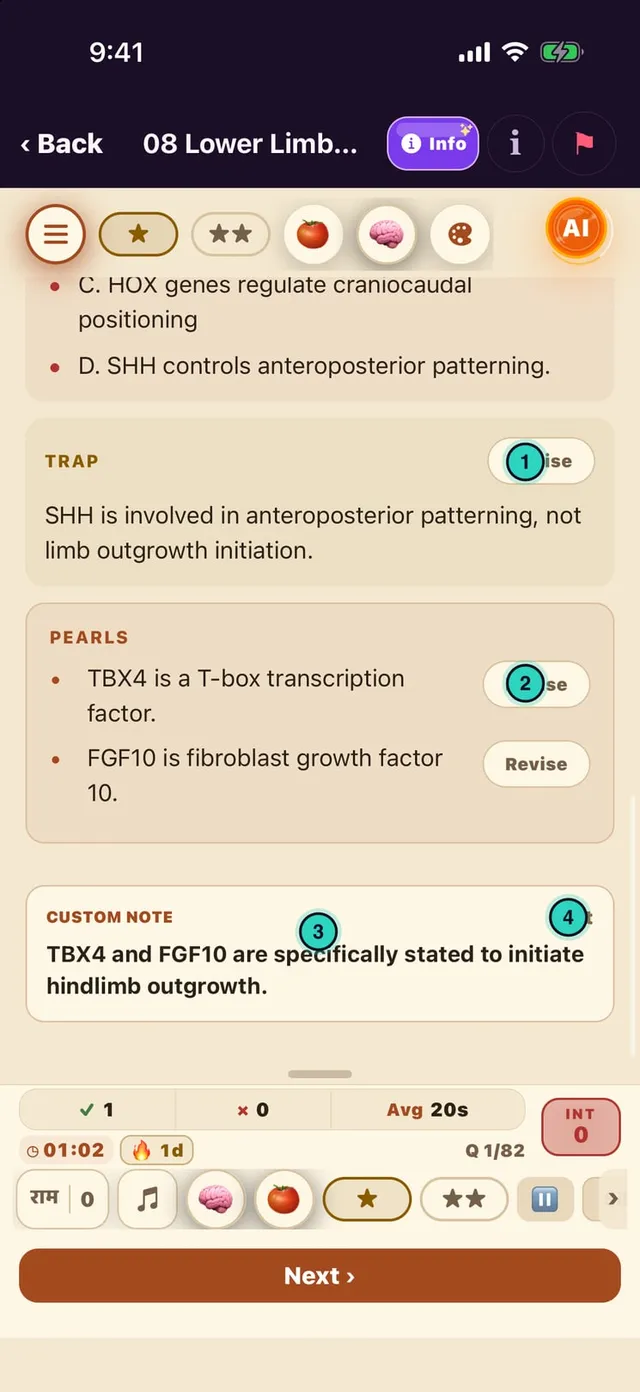
Explanation → your notes

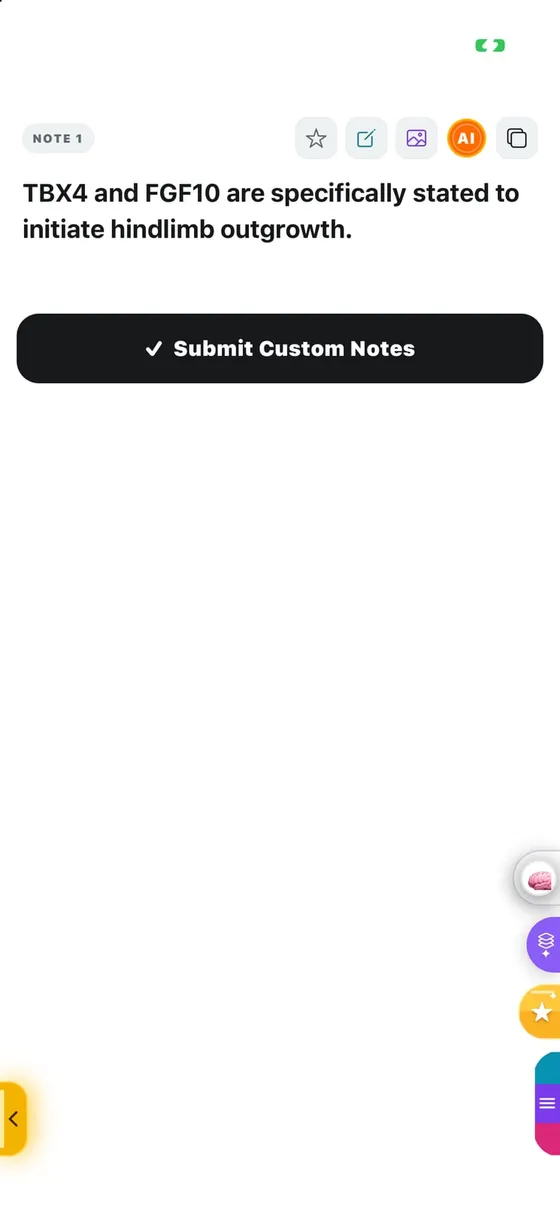
  1. 1Revise — save this point to your custom note
  2. 2A separate Revise on each pearl
  3. 3Custom note — saved points land here
  4. 4Edit — write or change the note
Explanation → your notes

Small tools inside an MCQ

✍︎ Write mode: tick or underline with a finger
Info: how to save notes — English / हिंदी
🚩 Report: error in stem, options, answer or explanation
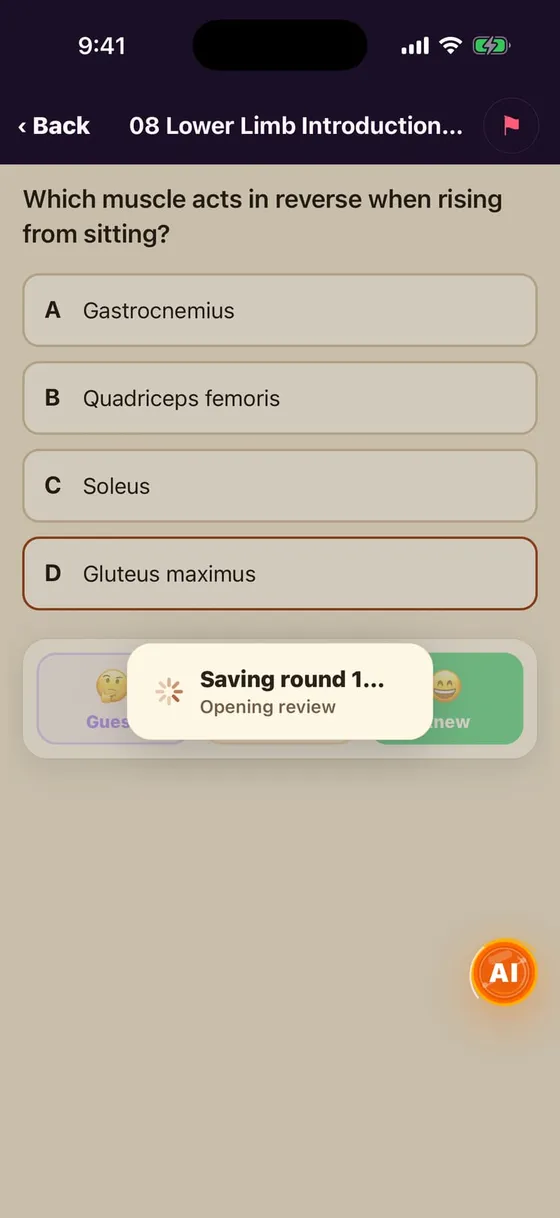
Round end: "Saving round… Opening review"

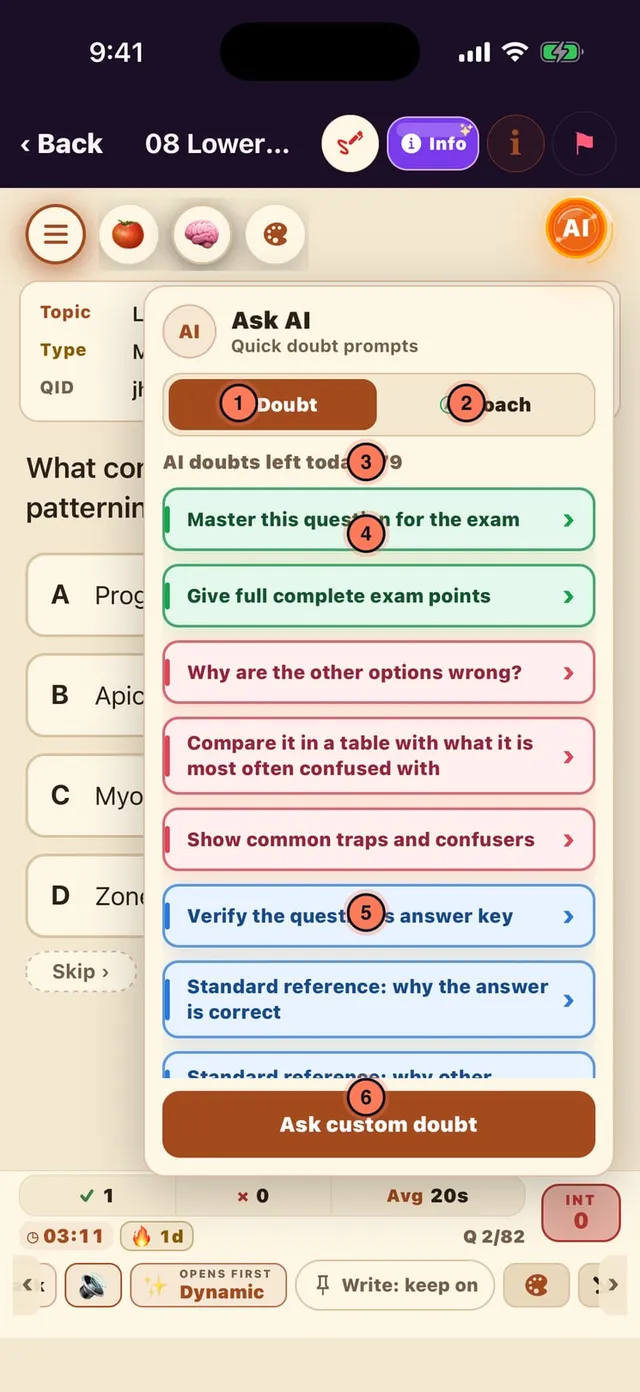
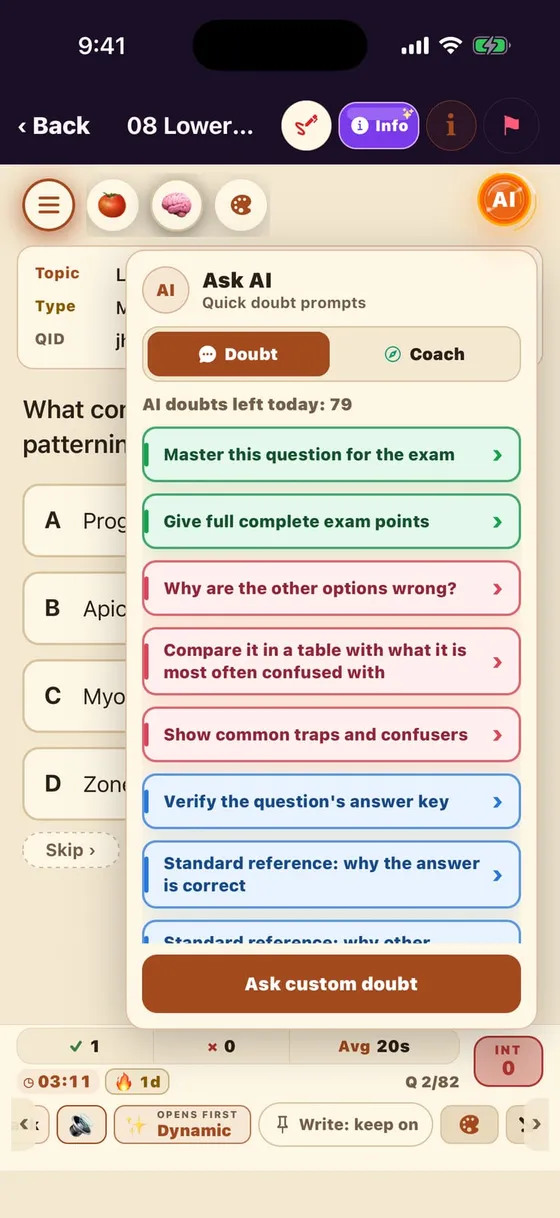
Ask AI — Doubt tab

  1. 1Doubt — AI on this question
  2. 2Coach — study advice from your data
  3. 3AI doubts left today
  4. 4Ready prompt — 1 tap = 1 doubt
  5. 5Verify answer key / standard reference
  6. 6Ask custom doubt — in your own words
Ask AI — Doubt tab

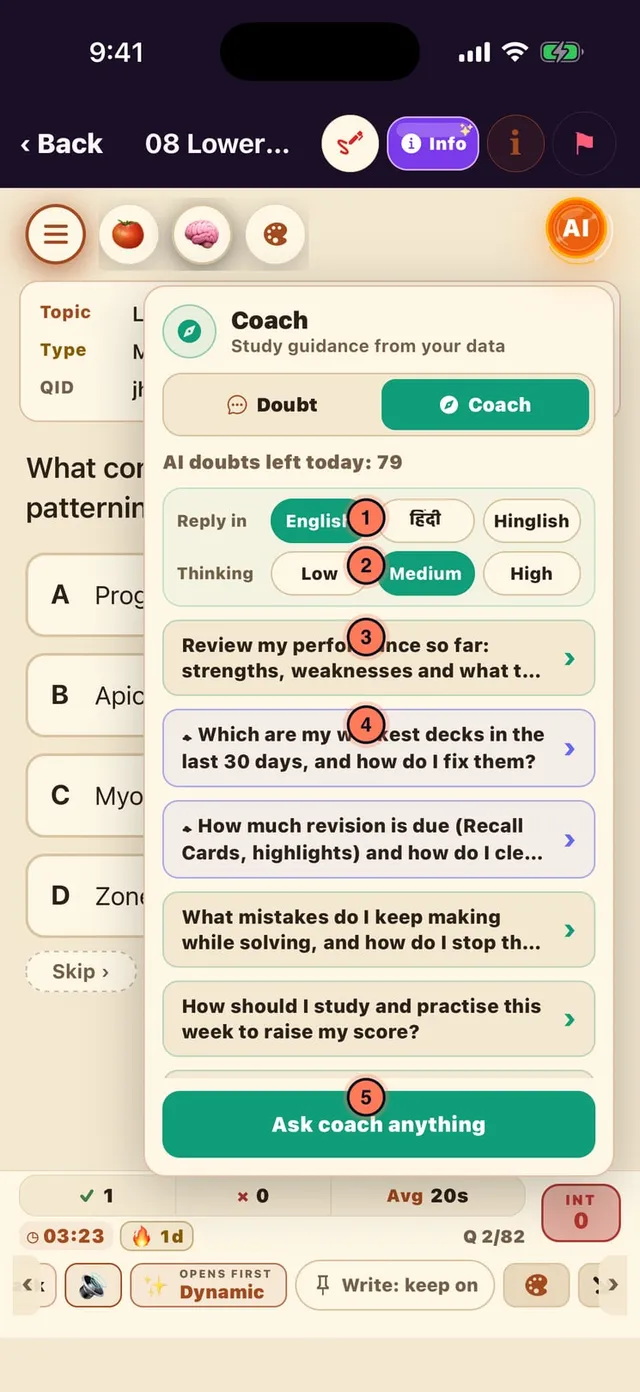
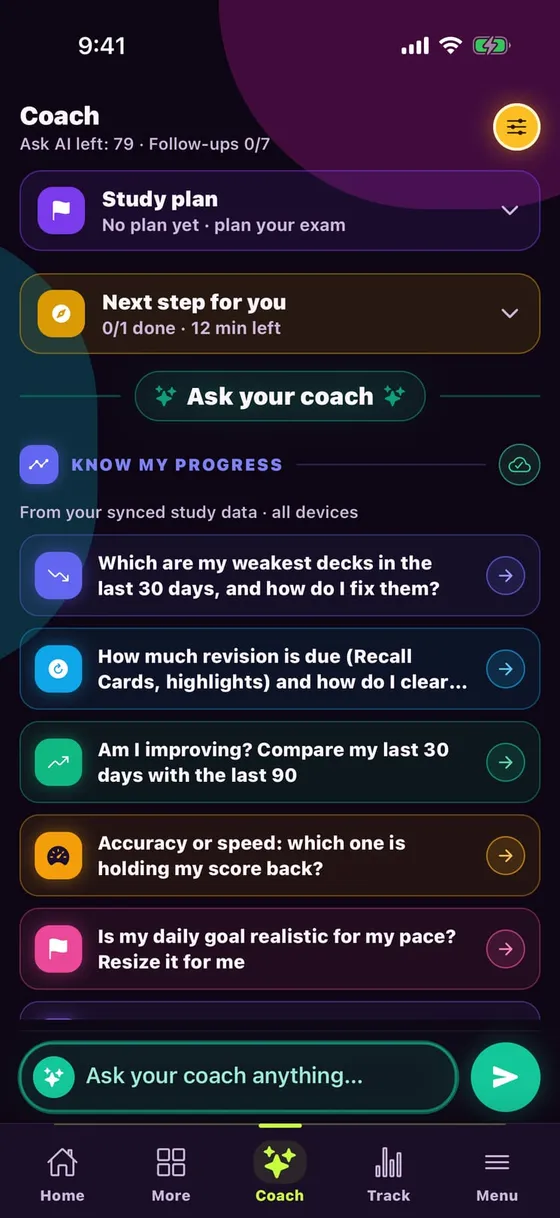
Ask AI — Coach tab

  1. 1Reply in: English / हिंदी / Hinglish
  2. 2Thinking: Low / Medium / High
  3. 3Performance review — strengths / weaknesses
  4. 4Weakest decks (30 days) + how to fix
  5. 5Ask coach anything
Ask AI — Coach tab

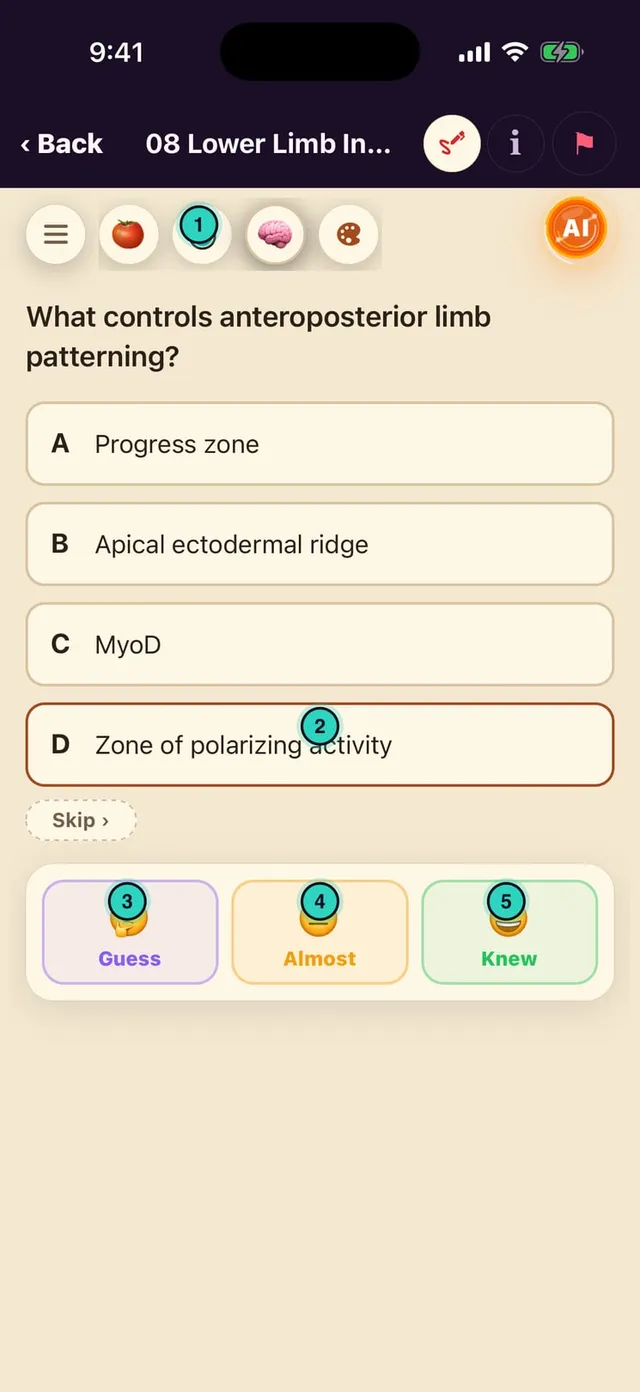
Adaptive — Guess · Almost · Knew

  1. 1⏱ Pacer — solve / review time
  2. 2Pick an option — no reveal yet
  3. 3🤔 Guess — a guess; returns like a wrong one
  4. 4😐 Almost — nearly; returns once
  5. 5😄 Knew — sure; back in 3+ days
Adaptive — Guess · Almost · Knew

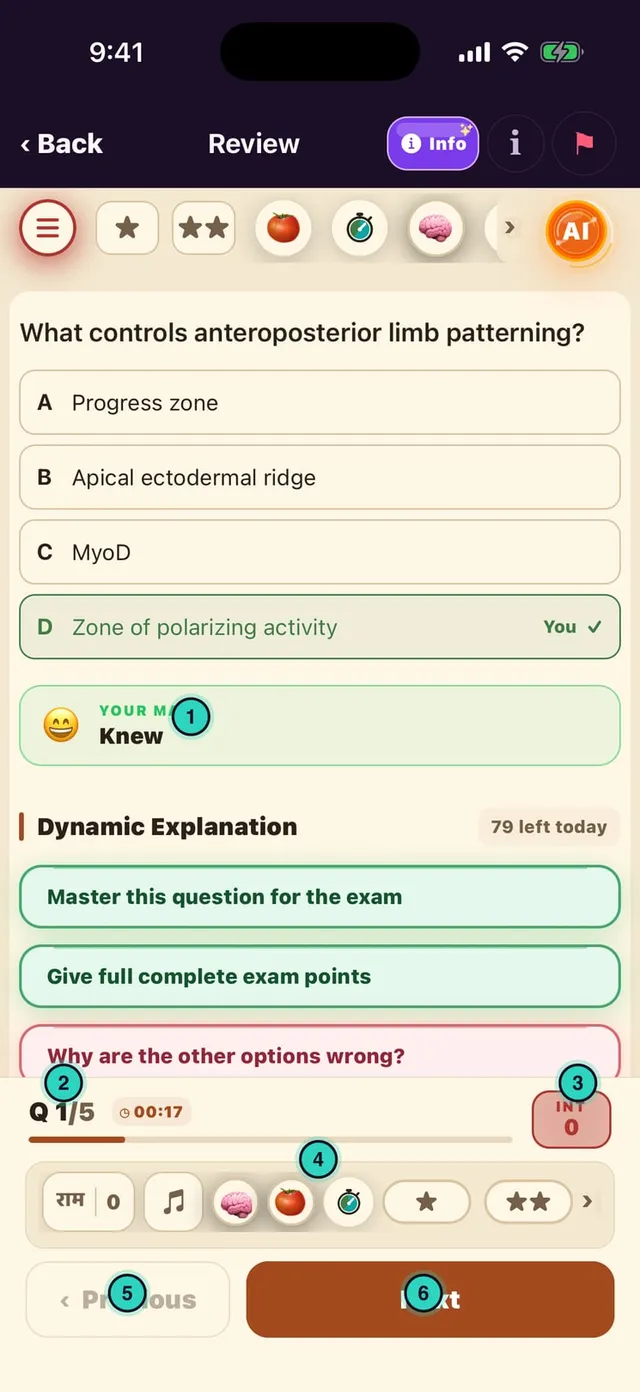
Round review dock

  1. 1YOUR MARK — your Guess/Almost/Knew
  2. 2Q 1/5 · review timer
  3. 3INT
  4. 4Tools rail (no End here)
  5. 5‹ Previous
  6. 6Next → Finish Review at the end
Round review dock

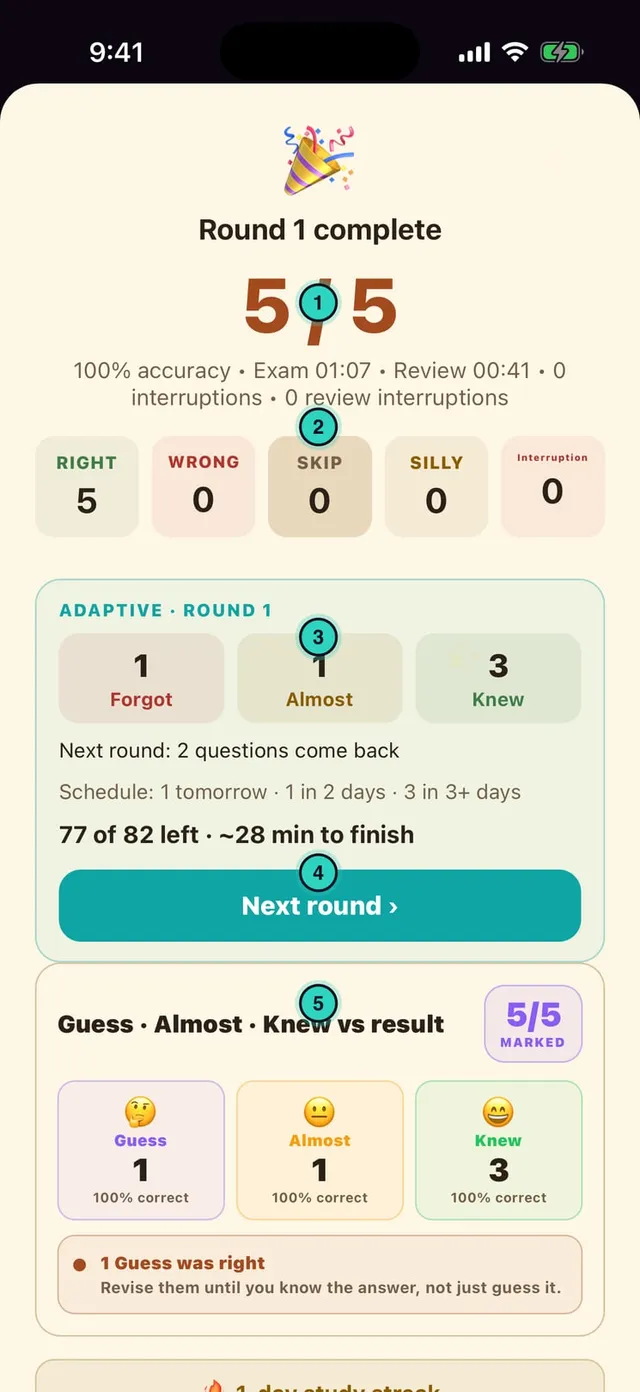
Round complete — reading the result

  1. 1Score + accuracy + time
  2. 2Right · Wrong · Skip · Silly · Interruptions
  3. 3Forgot / Almost / Knew + when they return
  4. 4Next round › — start the next round
  5. 5Guess vs result — "lucky guess" warning
Round complete — reading the result

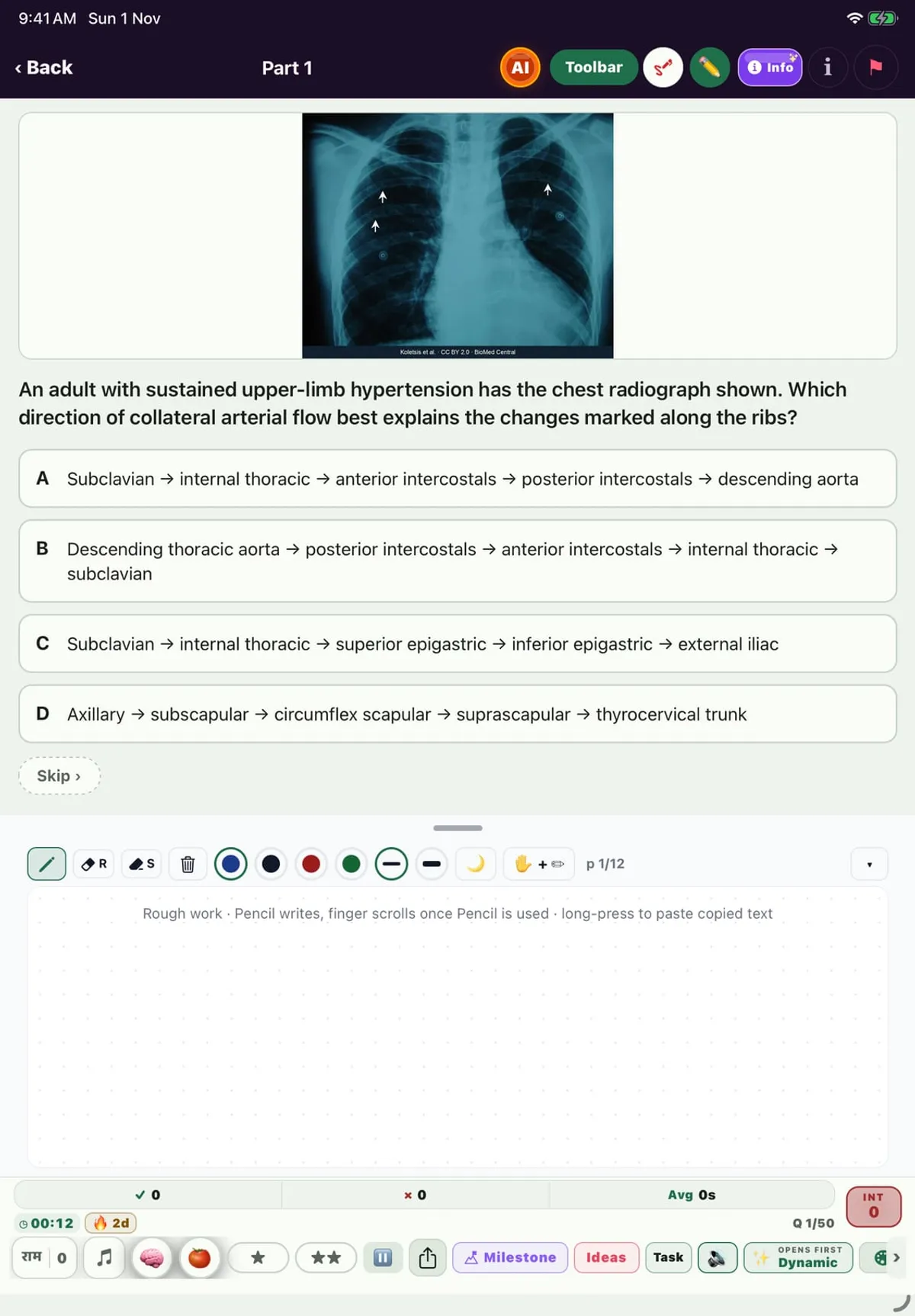
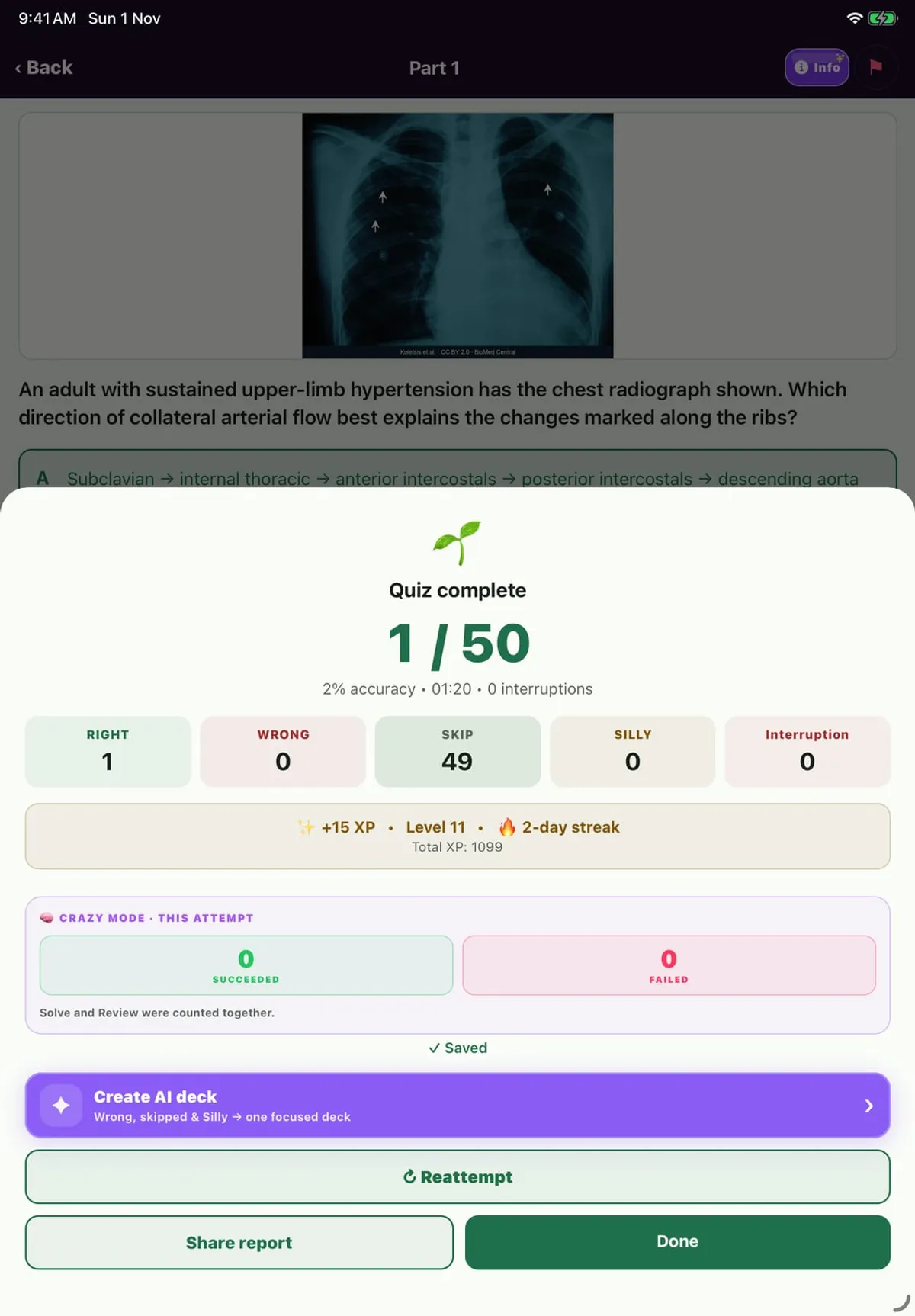
Image MCQ + Review

Image MCQ (Image & Video folder) — with an X-ray
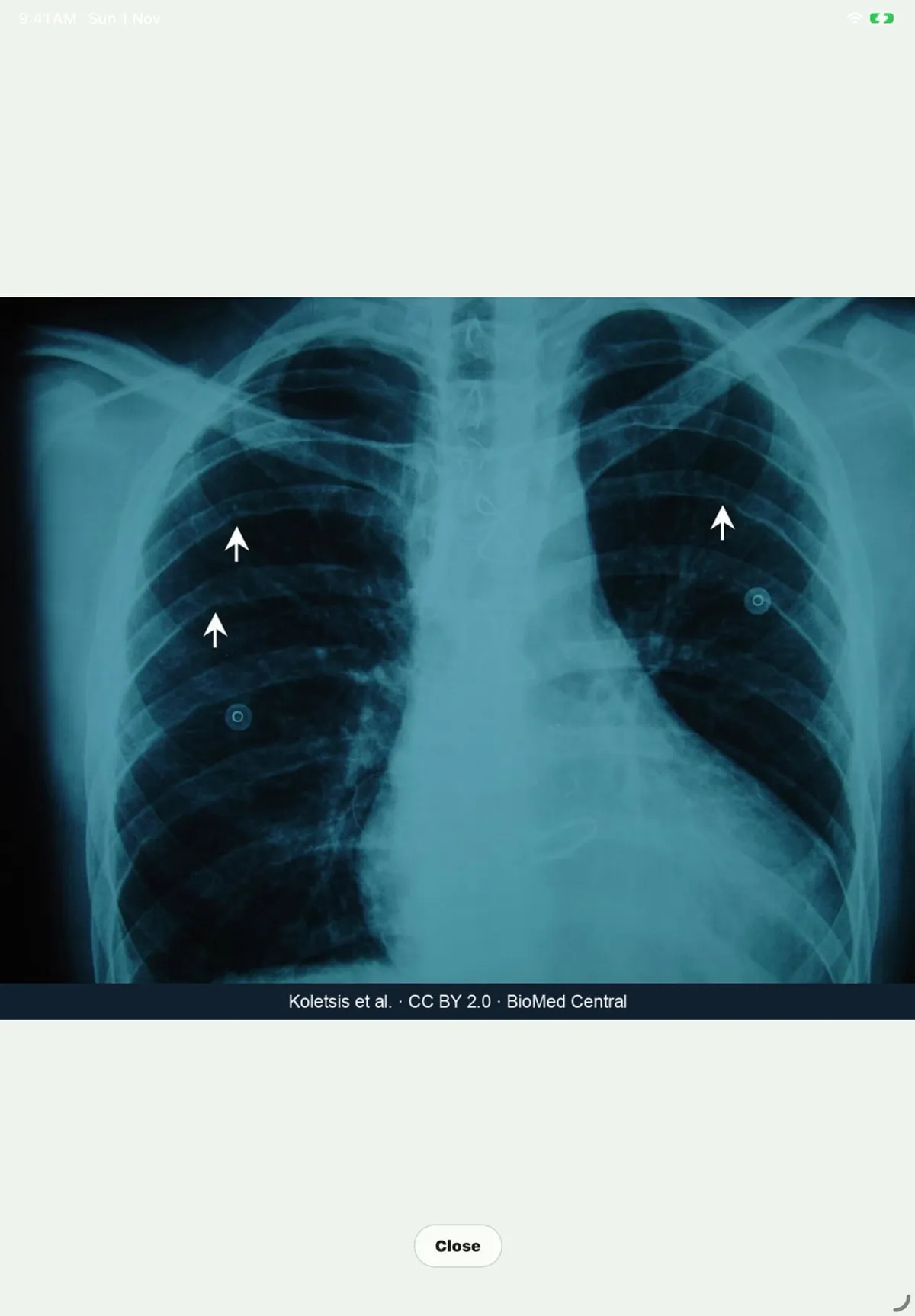
Tap the image for full screen; pinch to zoom; source credit
Result: XP, streak, Hell Mode summary, Create AI deck
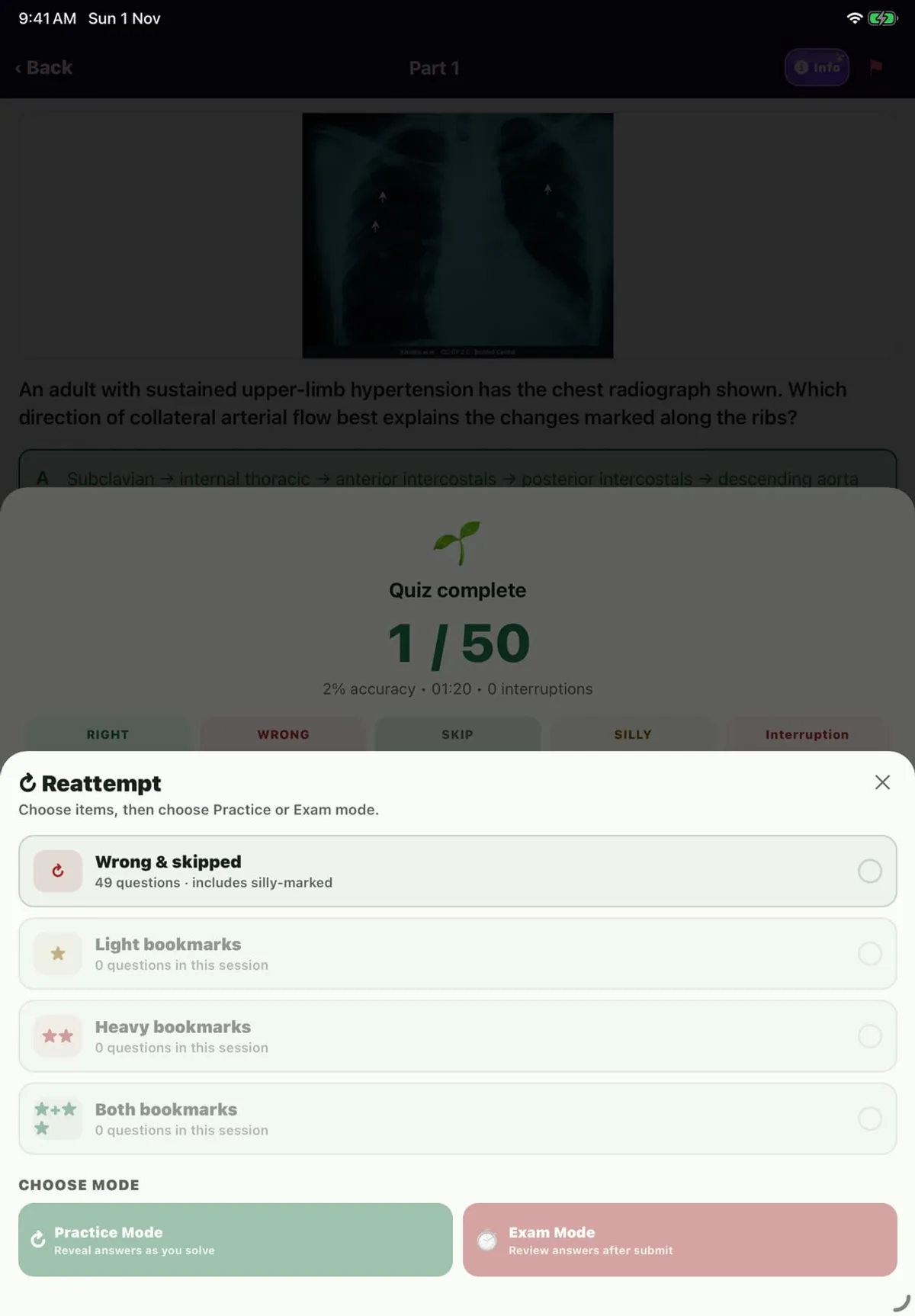
Reattempt: Wrong & skipped / Light / Heavy bookmarks

Every study format — how it works (1/2)

🖼 Image MCQTap an image for full screen; pinch up to 15×, double-tap 2.6×. All MCQ modes.
🎬 Video MCQVideo inside the question — looping, with controls and offline cache.
3·1 3-in-1More → 3-in-1: one case, three sub-MCQs; swipe for parts b and c. +4 / −1 scoring.
✔️ True / FalseTRUE / FALSE on each statement; swipe changes the page (it never answers).
⇄ Match the ColumnTap A then B to pair; each pair gets its own colour. Layout: Columns / Rows / List.
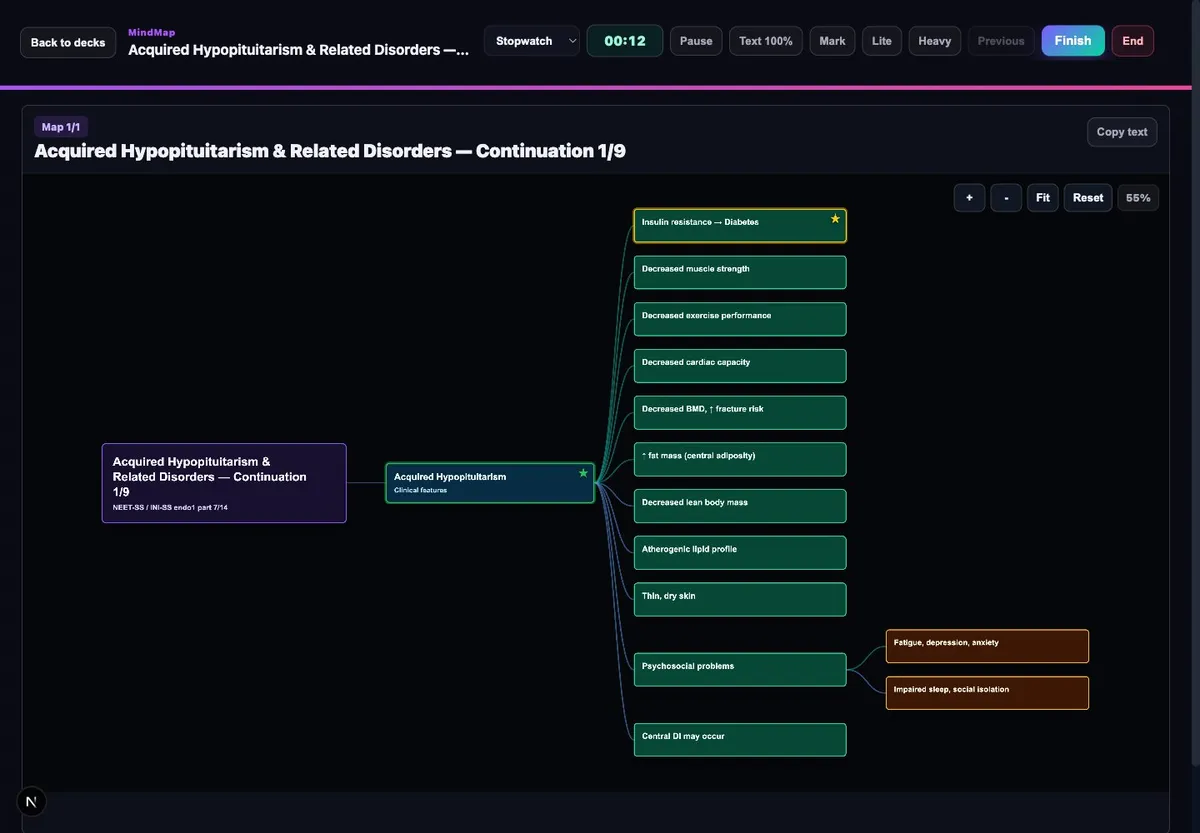
🧠 MindMapPan and pinch-zoom; long-press a node for Ask AI / highlight; Read or Bookmarked.

Every study format — how it works (2/2)

📚 Basic NotesMore → Basic Notes: tap a note for AI · ★ · ★★ · Copy · Note; Recall Cards too.
💡 Ideas / QuotesSlides (double-tap ★, triple-tap ★★) or a continuous list; Understand / Ask yourself.
🎛 ModesMCQ: Exam · Practice · Split · Adaptive. TF/MTC/3-in-1: Exam · Practice · Split. Flashcards: Practice · Adaptive.
🔁 ReviewEvery format ends in Review — ★/★★, Silly, Ask AI, reattempt wrong ones.
⏳ Free plan30 questions a day across all formats; Quotes do not count.
💻 WebMCQ, Flashcards, MindMap, 3-in-1, TF and MTC on drlalit.uk/practice.

Who are you? Pick your group

For everyone

“How do I get started?”

Download → Log in → Pick your course

How to

  1. Search "BaahukMed" on the App Store / Play Store and install
  2. Log in with WhatsApp, Google, Apple or email — no password to remember
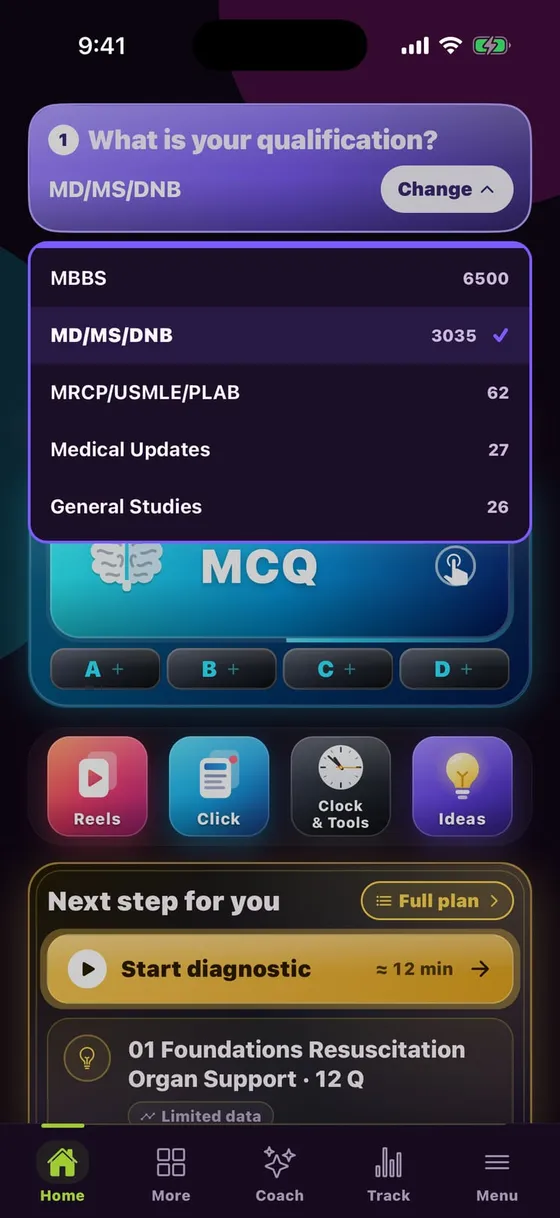
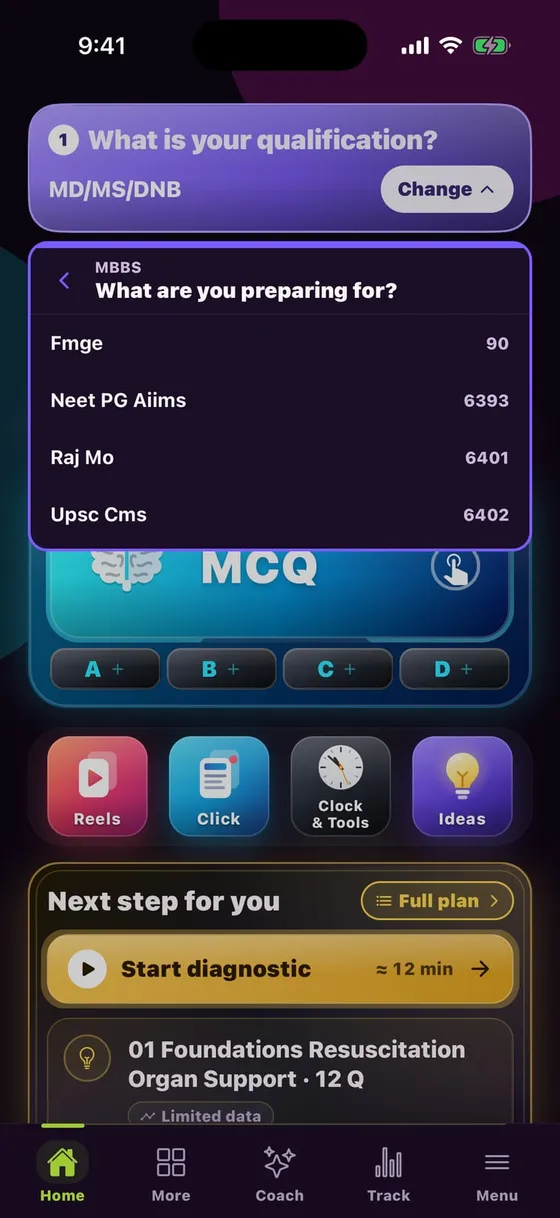
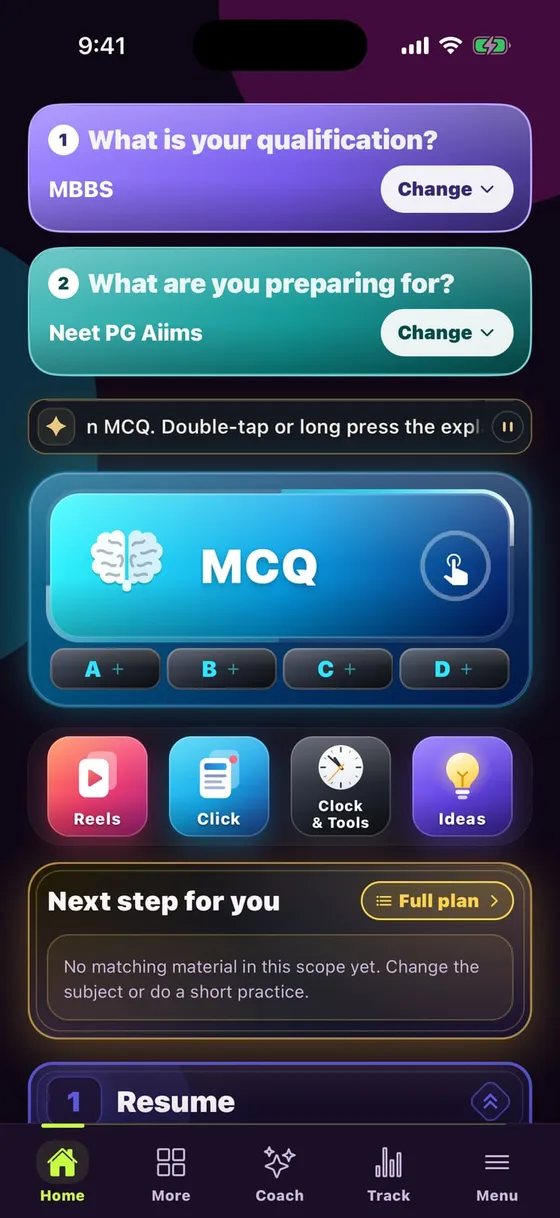
  3. On Home pick your qualification (MBBS / MD-MS-DNB) and what you are preparing for (NEET PG, FMGE, Raj MO…)

✔ Your screen shows only your course

Download → Log in → Pick your course
For everyone

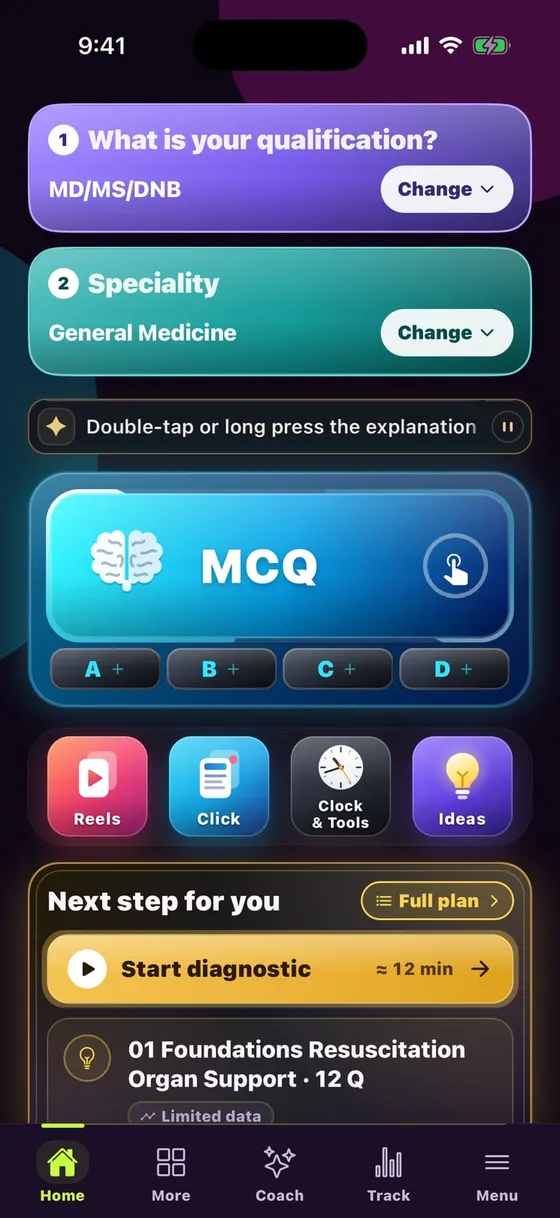
Home screen — a 10-second tour

  • 1 · 2 Pick your course — content changes with it
  • MCQ every deck, in subject and year folders
  • A B C D pin your 4 favourite decks
  • Reels · Click · Clock & Tools · Ideas
  • Next step what to study today — a plan built from your data
  • Bottom tabs: Home · More · Coach · Track · Menu
Home screen — a 10-second tour
MBBS students

“Where do I get subject-wise MCQs for my prof exam?”

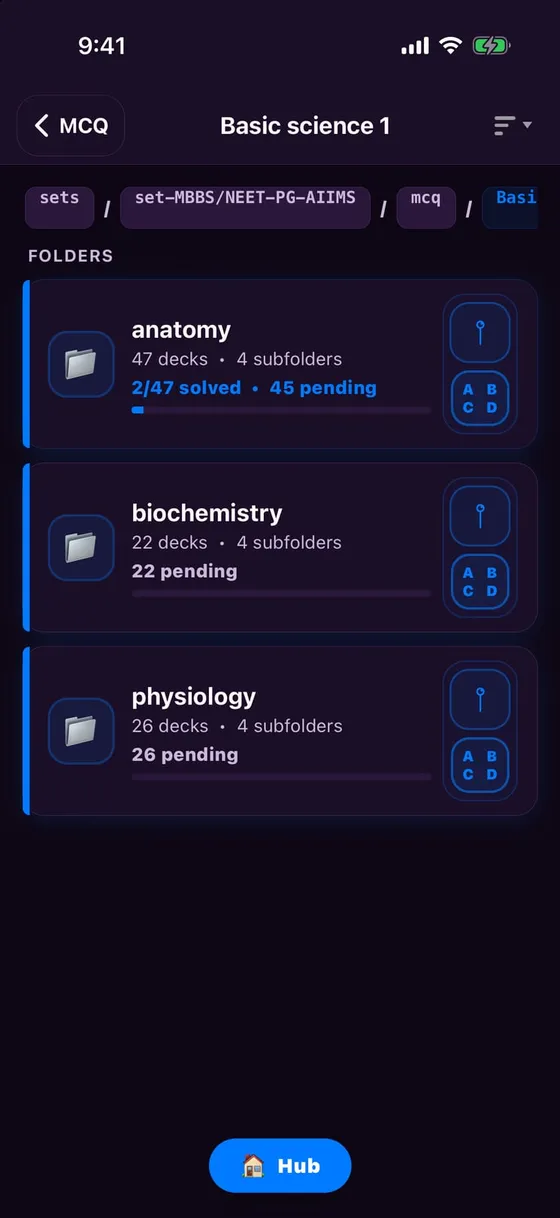
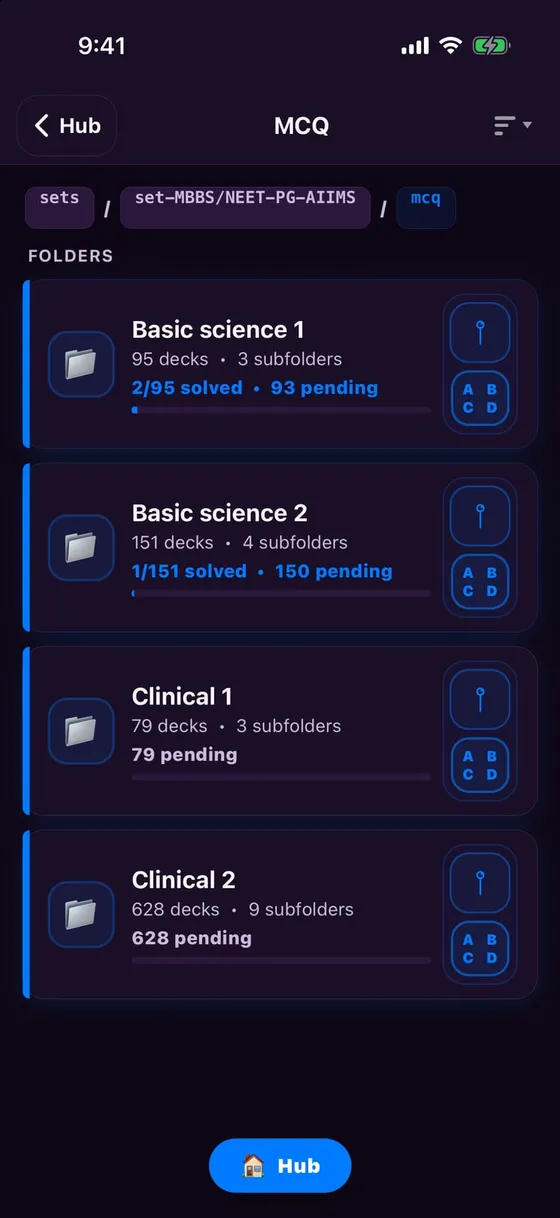
Year-wise folders — Basic science 1 to Clinical 2

How to

  1. Home → open MCQ (with MBBS selected)
  2. Pick your year: Basic science 1 = first year, Clinical 2 = final year
  3. Subject → deck → solve. Every folder shows solved / pending

✔ Anatomy to Surgery — every subject in its own year

Year-wise folders — Basic science 1 to Clinical 2
MBBS students

“I study, but it does not stick”

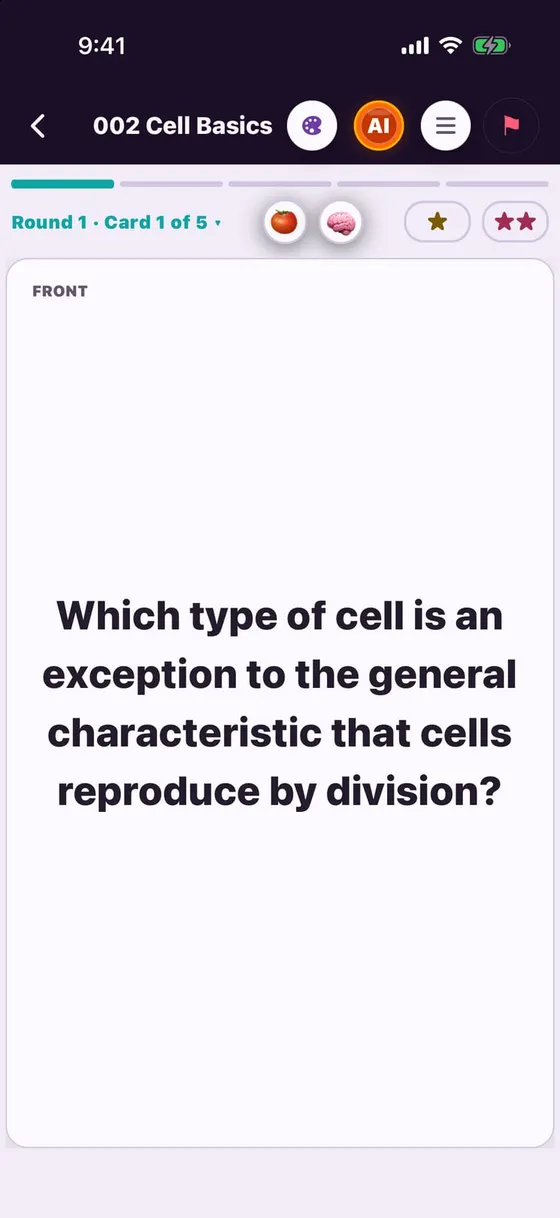
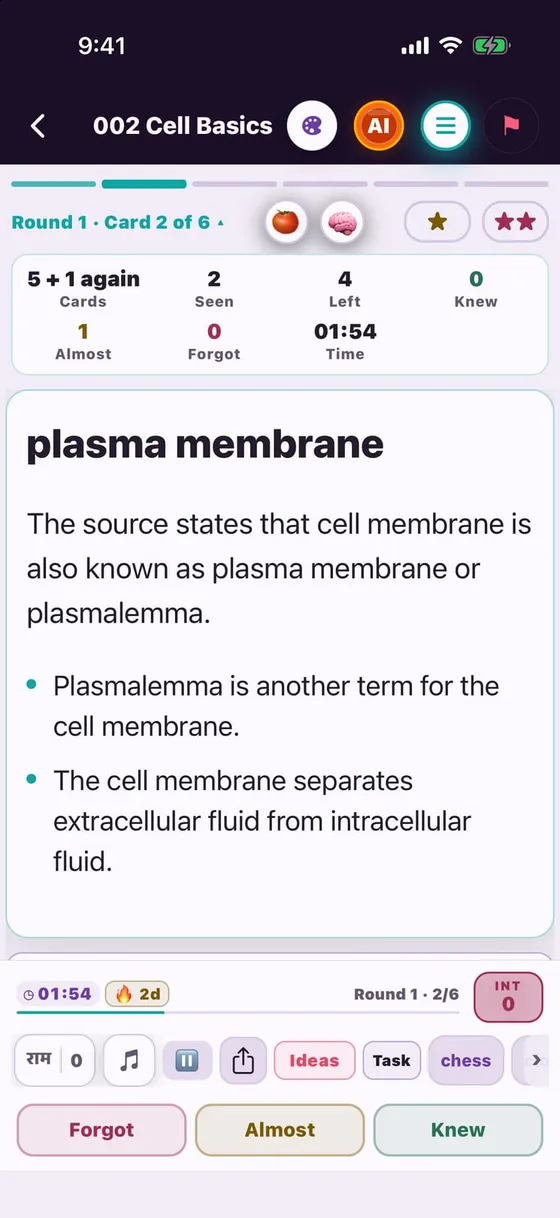
Flashcards — one question, one answer, again and again

How to

  1. More tab → Flashcards → your subject
  2. Read the card, think of the answer, then tap to flip it
  3. Tap Forgot / Almost / Knew — Forgot cards return in the same round and get ★★ automatically

✔ Active recall = longer memory

Flashcards — one question, one answer, again and again
MBBS students

“How do I revise quickly two days before the exam?”

MindMap · True/False · Match the Column · 3-in-1

How to

  1. Open the More tab — five revision formats in one place
  2. MindMap puts a whole chapter on one screen; True/False is a fast check
  3. Match the Column and 3-in-1 for mixed practice

✔ Same topic, different format — no boredom, solid revision

MindMap · True/False · Match the Column · 3-in-1
MBBS students

“I pick up my phone to study and end up on Instagram”

Pomodoro · Hell Mode · Stay in flow

How to

  1. Tap 🍅 on the MCQ screen — 25/5 or 50/10 focus timer
  2. 🧠 Hell Mode — a mission with a deadline, like "5 notes in 15 minutes"
  3. Try to leave mid-session and "Stay in flow" lets you park the thought and keep going

✔ A system against distraction, not just willpower

Pomodoro · Hell Mode · Stay in flow
NEET PG aspirants

“So many MCQs — where and how do I start?”

4 study modes — pick by need

How to

  1. Adaptive (recommended): rounds of 5–10, wrong ones come back
  2. Exam: no answers until the end, then review — like the real exam
  3. Practice: answer + explanation after each question · Split: a big deck in small parts

✔ Timer, shuffle, question count — all in your control

4 study modes — pick by need
NEET PG aspirants

“I keep getting the same questions wrong”

Adaptive Mode — Guess · Almost · Knew

How to

  1. After each question say: Guess, Almost or Knew
  2. After 5 or 10 questions, review the round with explanations
  3. Wrong, skipped and Guess questions return next round — until you truly know them

✔ A lucky guess is never counted as "known"

Adaptive Mode — Guess · Almost · Knew
NEET PG aspirants

“A doubt at 2 am — who do I ask?”

Ask AI — an AI tutor on every MCQ

How to

  1. After answering, ready prompts: "Why are the other options wrong?", "Compare in a table"…
  2. Or "Ask your own question" — in your own words (Hinglish works too)
  3. Fixed explanation + AI answer; save the key point with "Add custom note"

✔ Doubts cleared on the spot — no waiting till tomorrow

Ask AI — an AI tutor on every MCQ
NEET PG aspirants

“At revision time I cannot find the questions that mattered”

★ Lite · ★★ Heavy bookmarks + Mistake mode

How to

  1. Tap ★ (somewhat important) or ★★ (very important) above the MCQ
  2. On the mode screen use Bookmark / Mistake mode — only those questions again
  3. After an exam, review every wrong answer with its explanation

✔ Only your own mistakes before the exam — the fastest revision

★ Lite · ★★ Heavy bookmarks + Mistake mode
NEET PG aspirants

“I make plans but do not follow them”

AI Coach + Next step + Task Parking

How to

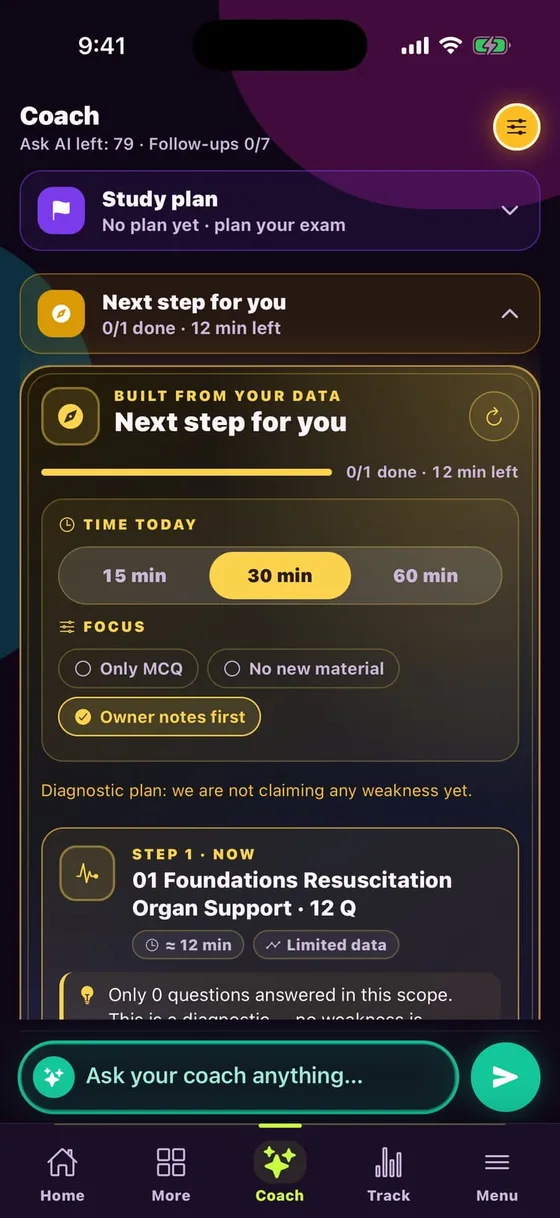
  1. Coach tab → "Next step for you": a 15/30/60-minute plan for today, from your data
  2. Ask the Coach: "Which are my weakest decks?", "Am I improving?"
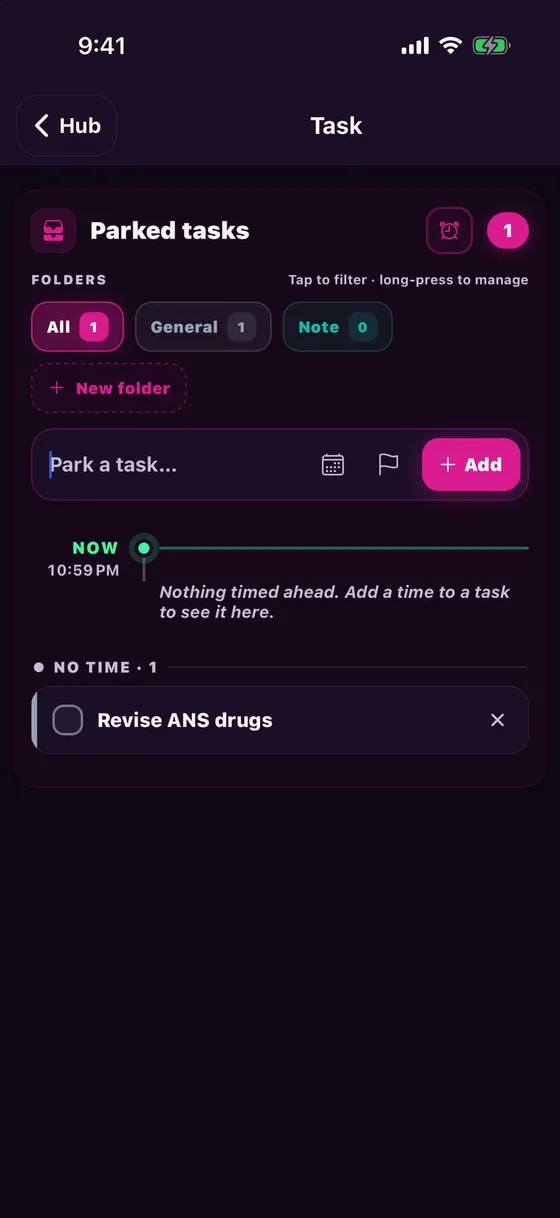
  3. Clock & Tools → Task: park small jobs with a time and priority

✔ The plan builds itself — you just do the next step

AI Coach + Next step + Task Parking
NEET PG aspirants

“How do I know I am really improving?”

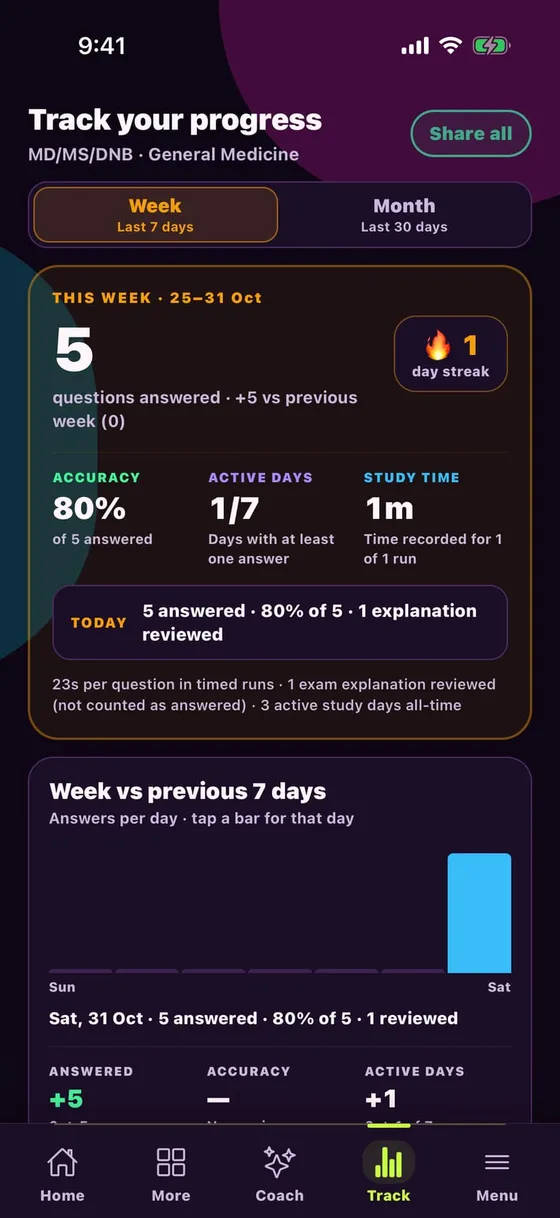
Track tab — weekly and monthly report

How to

  1. Track tab: questions, accuracy, active days, study time
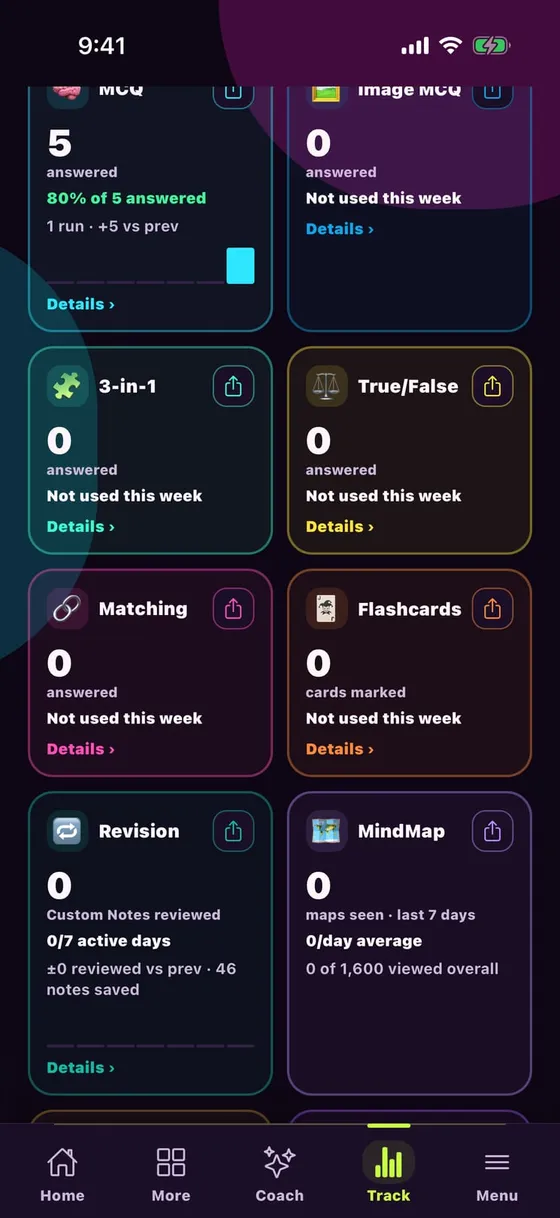
  2. Compare with last week, streak 🔥 and a bar for every day
  3. A card per mode — MCQ, Flashcards, MindMap, Revision

✔ Numbers, not guesses — send the report with "Share all"

Track tab — weekly and monthly report
NEET PG aspirants

“Where can I take a real exam-style test?”

Test Series

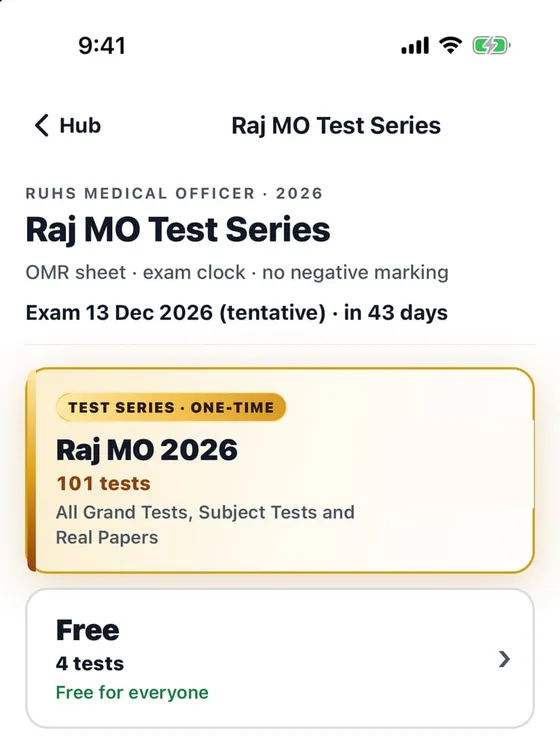
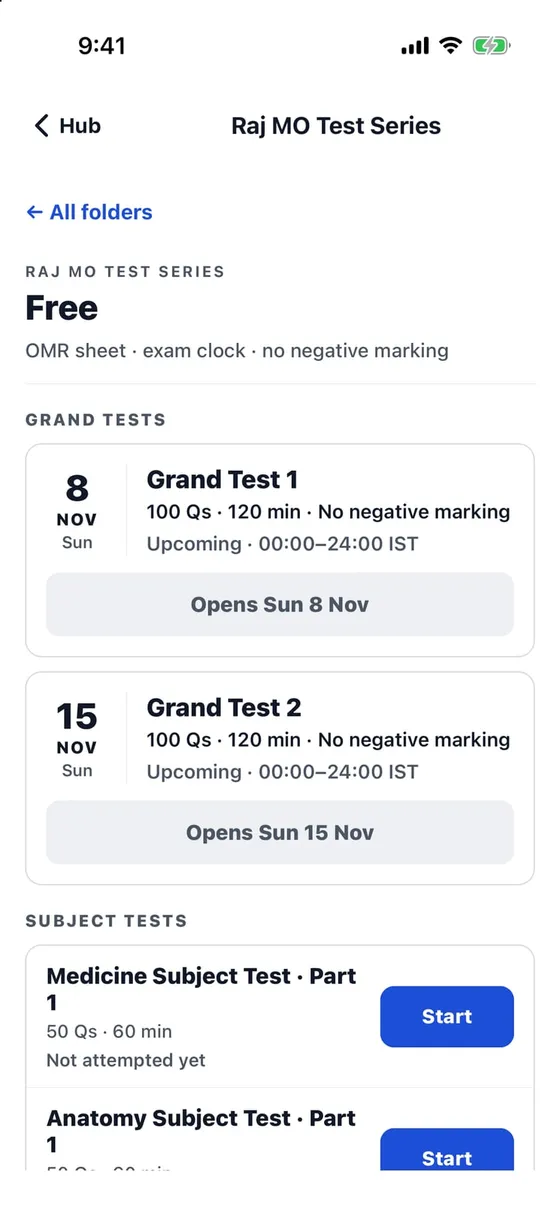
Raj MO 2026 — LIVEOMR sheet, exam clock, no negative marking · Grand Tests + Subject Tests · 4 tests free
NEET PG Test SeriesComing soon
NEET SS Test SeriesComing soon

On Home choose Raj MO under "preparing for" → Test Series

Test Series
Test Series
MD / MS / DNB residents

“I get 5 minutes between duties — what can I study?”

Reels + Click — scroll and learn

How to

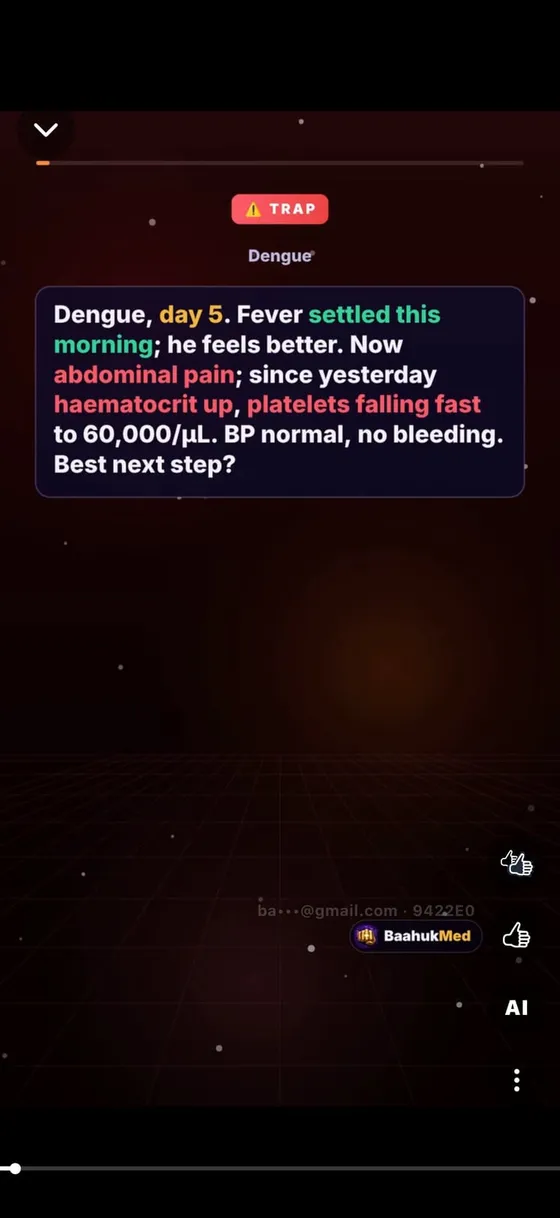
  1. Home → Reels: short clinical-case videos, like "Dengue day 5 — next step?"
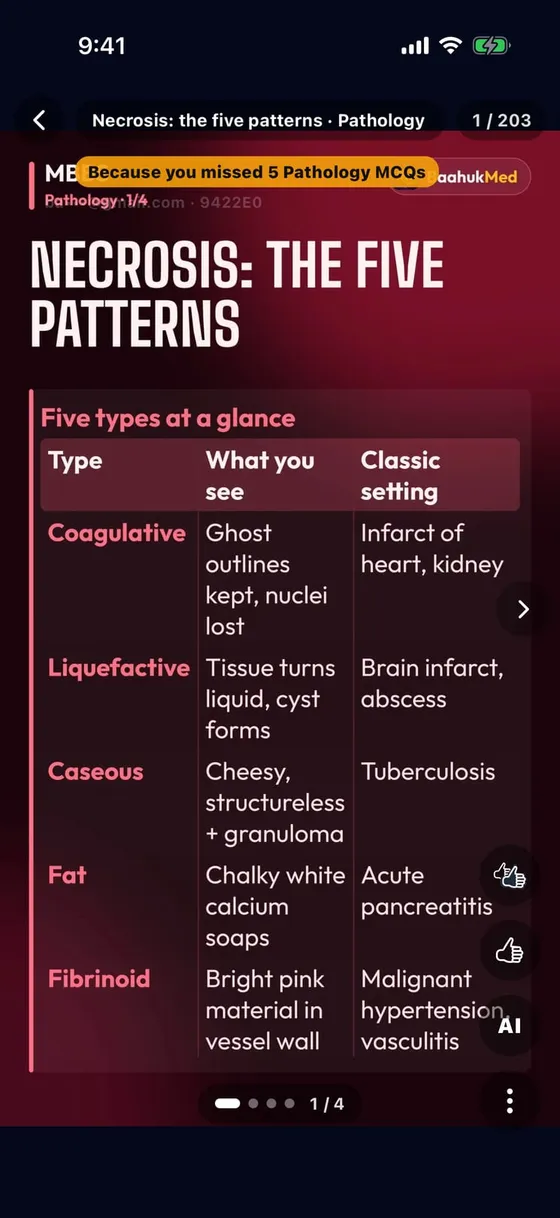
  2. Click: one poster = one topic, picked from your mistakes ("Because you missed 5 Pathology MCQs")
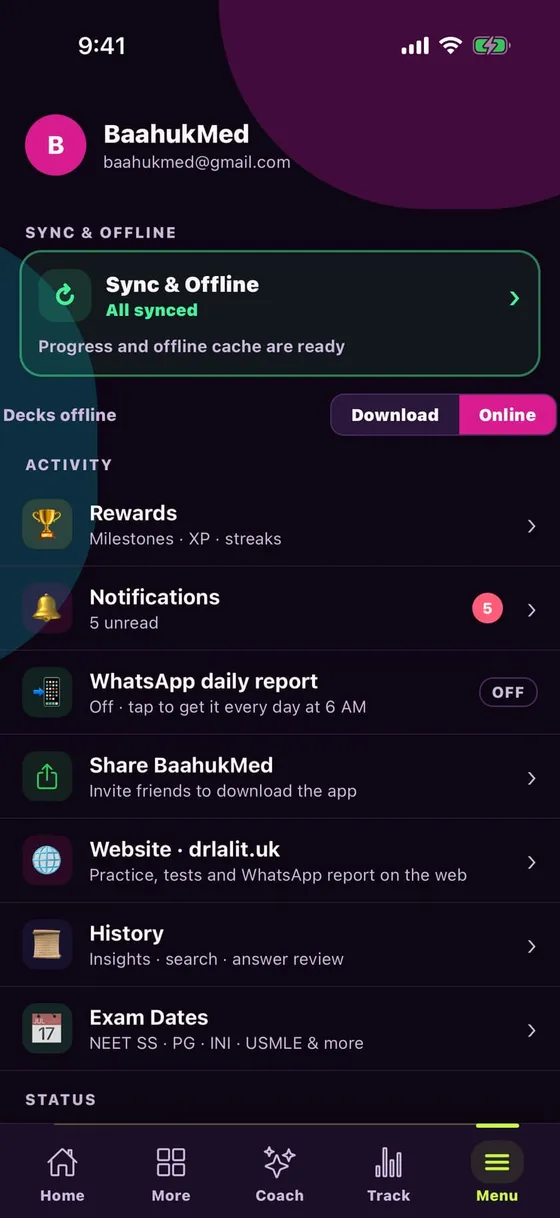
  3. Menu → Decks offline → Download: study without internet

✔ The social-media habit, used for study

Reels + Click — scroll and learn
MD / MS / DNB residents

“I need content for my speciality, not MBBS level”

MD/MS/DNB library — by speciality

How to

  1. Qualification: MD/MS/DNB → your speciality (General Medicine, Surgery, OBG, Paediatrics…)
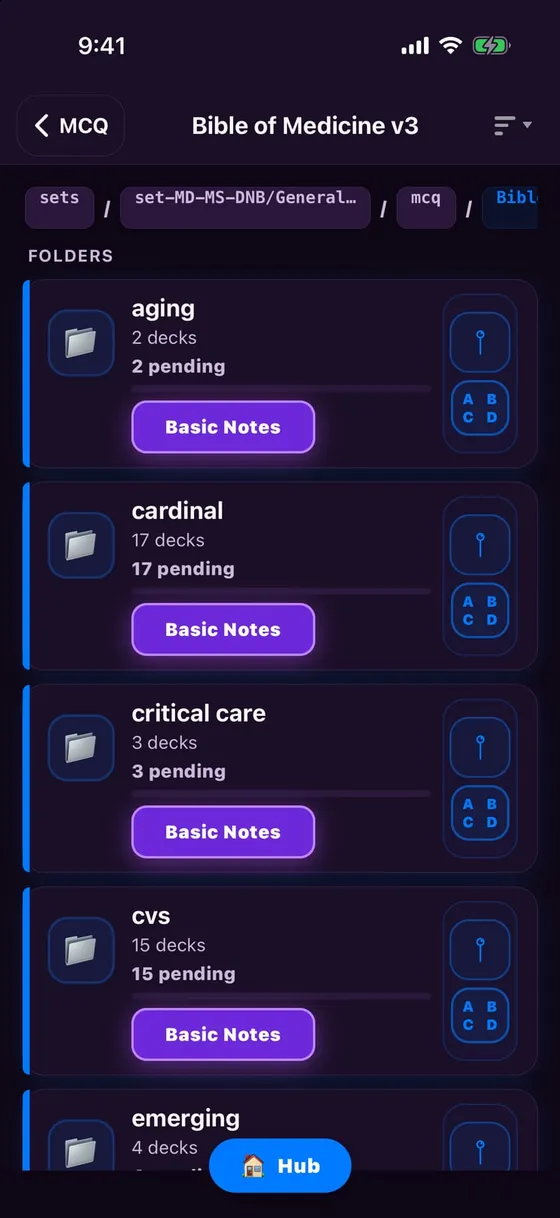
  2. System-wise folders: CVS, critical care … each with Basic Notes
  3. Image-based and video-based MCQs too

✔ Standard textbook-level MCQs in your speciality

MD/MS/DNB library — by speciality
MD / MS / DNB residents

“No time to make notes, but I need notes to revise”

Basic Notes + Custom Notes + Recall Cards

How to

  1. Basic Notes: ready notes for each topic, inside the folder
  2. Custom Notes: save a key point from any MCQ in one tap
  3. Recall Cards: AI turns your notes into cards and quizzes you

✔ Notes build themselves; revision happens by itself

Basic Notes + Custom Notes + Recall Cards
NEET SS aspirants

“Where do I get more questions on my weak topics?”

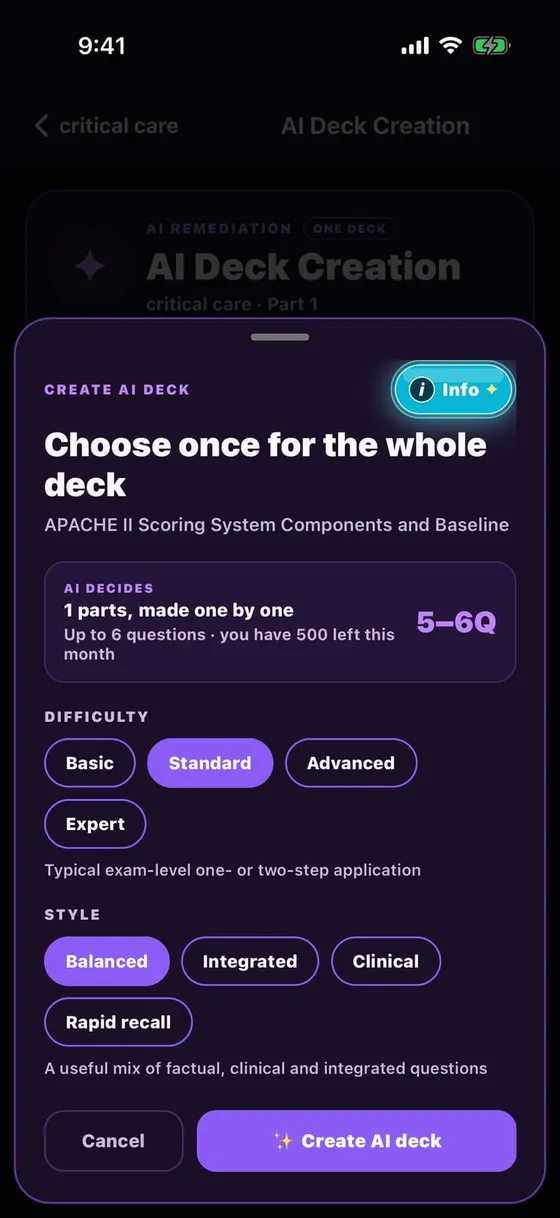
AI Deck — a new deck from your mistakes

How to

  1. Solve a deck; wrong, skipped and "Silly mistake" questions become gaps
  2. Tap AI Deck → choose difficulty (Basic to Expert) and style (Clinical, Rapid recall…)
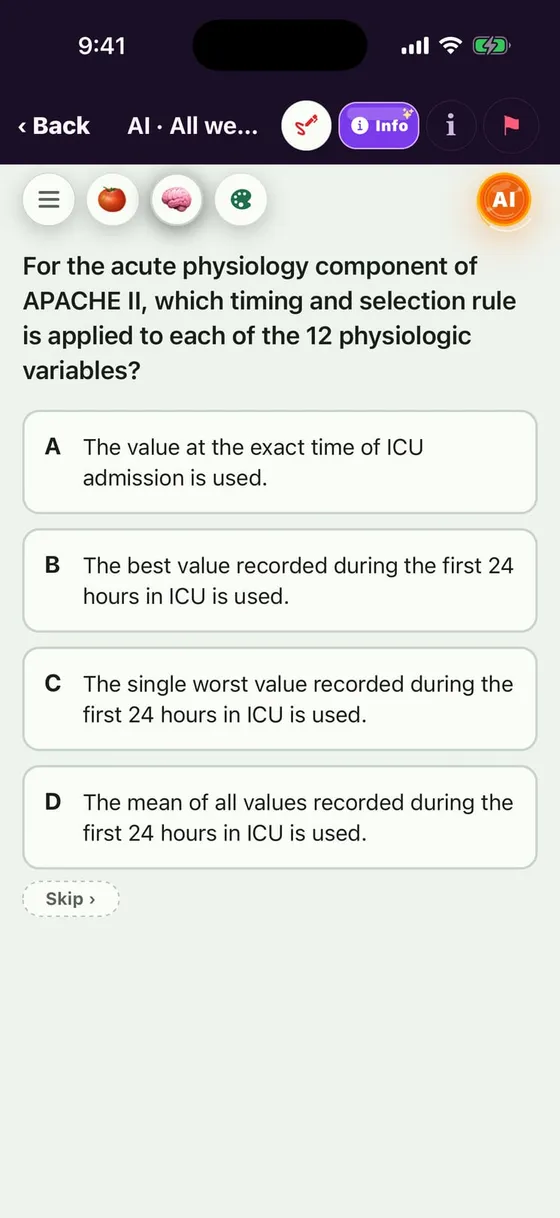
  3. Fresh questions on that weak topic — miss one on APACHE II, get new APACHE II MCQs

✔ Practice exactly where you are weak — no wasted repetition

AI Deck — a new deck from your mistakes
NEET SS aspirants

“NEET SS-level questions and a smart daily plan?”

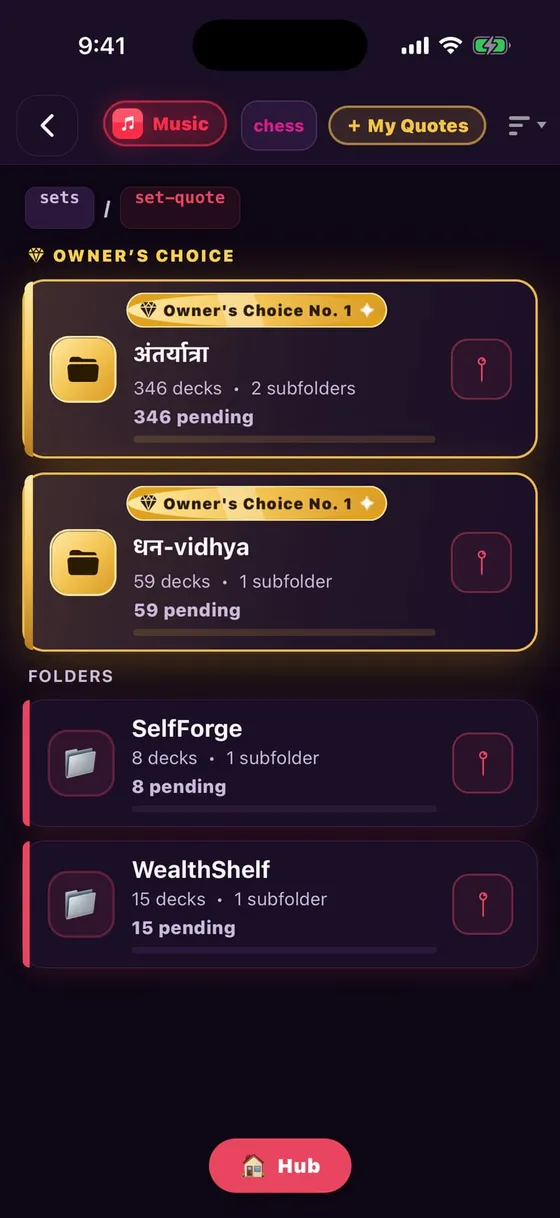
Medicine library + Owner's Choice + Next step

How to

  1. "Owner's Choice" — Dr Lalit's picks of the most important folders, at the top
  2. Coach "Next step": a diagnostic first, then a plan from your weak topics
  3. Adaptive + AI Deck + Recall Cards = the full cycle

✔ Solve → mistake → AI practice → recall — every day

Medicine library + Owner's Choice + Next step
For everyone

“I cannot build a routine or stay consistent”

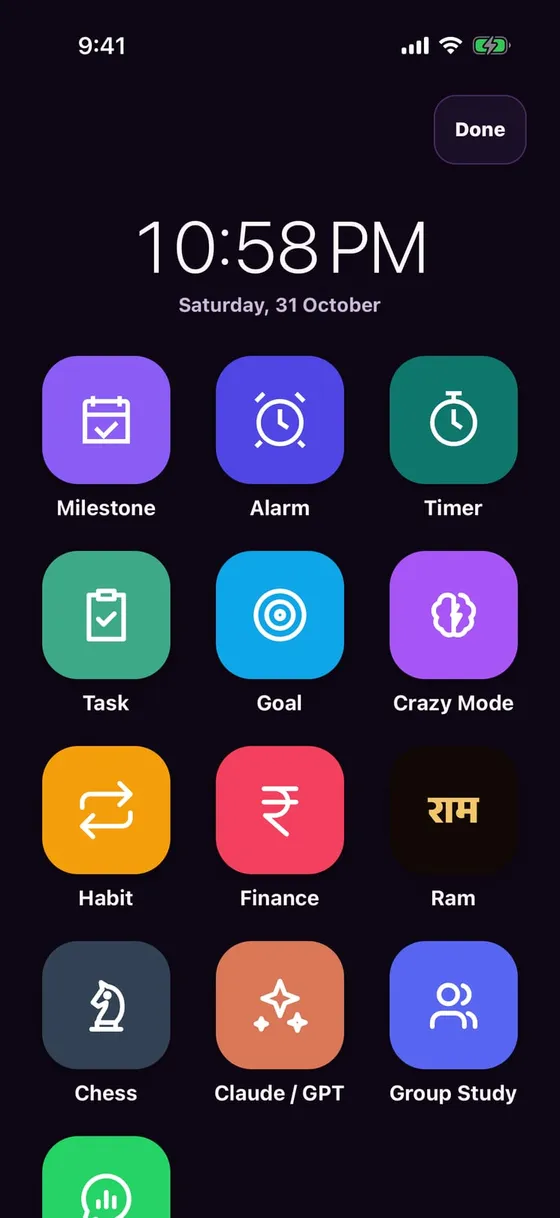
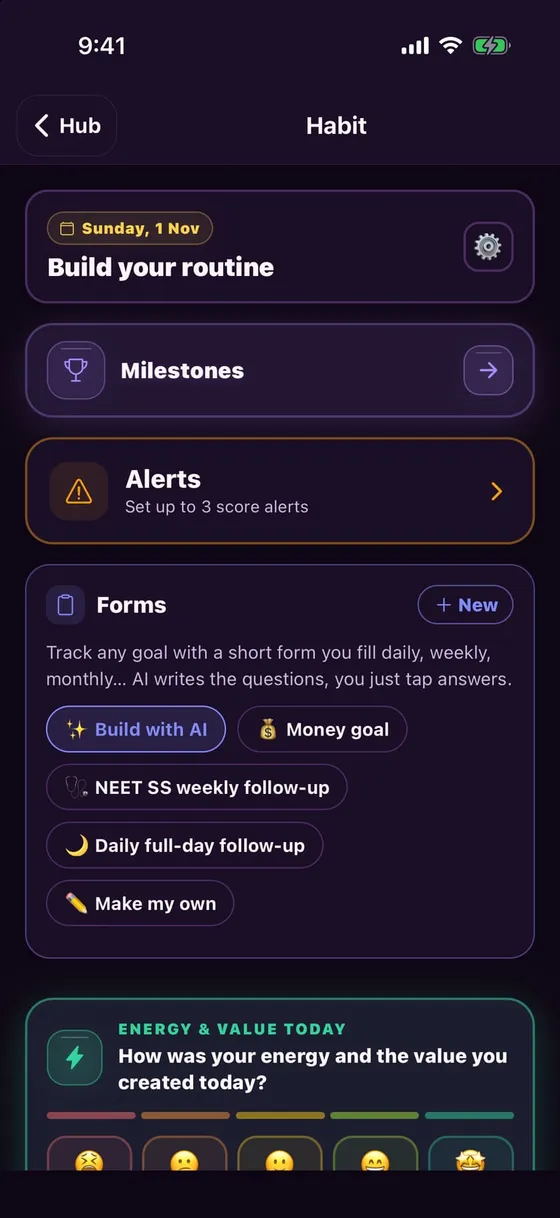
Clock & Tools + Habits + Forms

How to

  1. Home → Clock & Tools: Alarm, Timer, Task, Goal, Habit, Milestone in one place
  2. Habit Forms: ready forms like "NEET SS weekly follow-up", or build your own with AI
  3. Group Study: one tap to study with friends

✔ Study + routine — no second app needed

Clock & Tools + Habits + Forms
For everyone

“My breaks turn into an hour”

Ideas · Themes · short breaks

How to

  1. Ideas: short slides on motivation and life skills (Hindi + English)
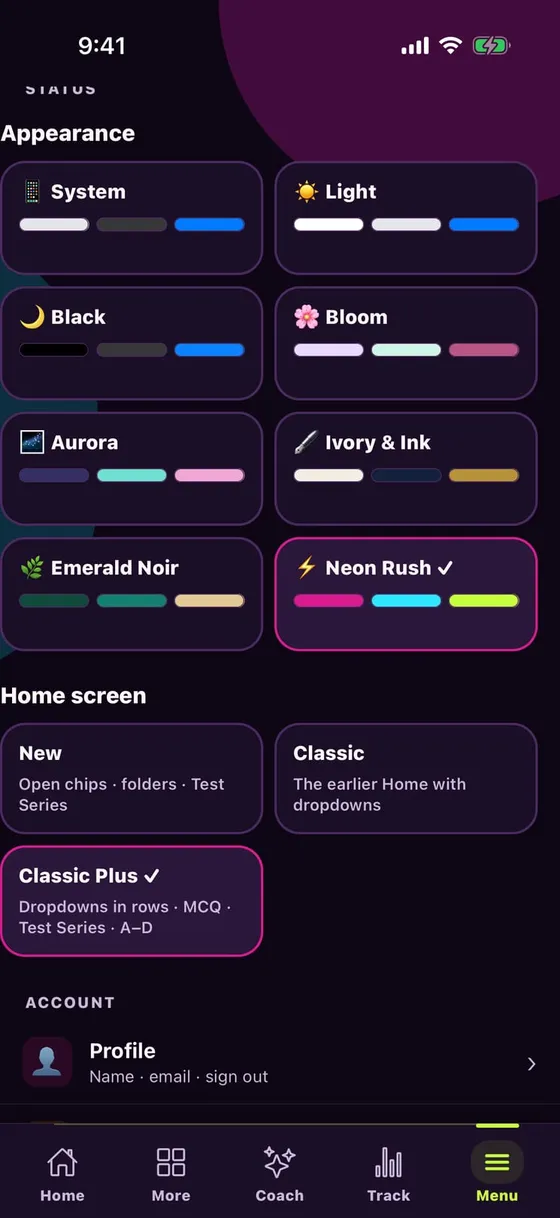
  2. 8 themes — Neon Rush, Light, Black… whatever suits your eyes
  3. Break over → "Resume" puts you back where you left off

✔ Breaks inside the app, away from distraction

Ideas · Themes · short breaks
For everyone

“New phone, or I want to study on a laptop — what about my data?”

Sync & Offline — the same progress on every device

How to

  1. On a paid plan, progress, bookmarks and notes sync to the cloud
  2. Web: drlalit.uk/practice — same login, same decks
  3. Download decks offline — study even without hostel Wi-Fi

✔ Phone, iPad, laptop — start anywhere, continue anywhere
Sync & Offline — the same progress on every device

On a laptop: drlalit.uk

“Want to study on a laptop instead of the phone?”

Web: drlalit.uk — same login, same progress

  • drlalit.uk/practice — MCQ, Flashcards, MindMap, 3-in-1, True/False, Match
  • Reels, Click, Ideas and Chess on the web too
  • drlalit.uk/tests — the Raj MO test series on the web
  • Keyboard: MCQ 1–5 answer, B bookmark, S silly · Flashcards Space flip, B / N / M grade
  • drlalit.uk/guide — this whole guide, Hindi + English

✔ drlalit.uk/practice · drlalit.uk/tests

Web: drlalit.uk — same login, same progress

What is free, what is paid?

Free — forever

  • Every study deck is free
  • 30 questions a day (all modes together)
  • 5 Reels + 10 Click posters a day
  • 2 AI doubts a week (10 a month) + 5 AI Deck questions
  • Data on the phone, short ads

AI Plus ₹299/month

200 Ask AI/month · 100 AI Deck questions · premium MD/MS/DNB library · or ₹2,999/year

AI Pro ₹399/month

800 Ask AI/month · premium MD/MS/DNB library

AI Ultra ₹499/month

1,500 Ask AI/month · the most AI

Every paid plan: unlimited questions, cloud sync, Hell Mode, Pomodoro, Habits, Goals, Track, no ads

Billed by the App Store / Play Store · Indian prices

Common questions

Is the app free?

Yes. Every deck is free, with 30 questions a day. Paid plans remove the limits.

Does it work offline?

Yes — Menu → Decks offline → Download.

Android, iPad and laptop?

Android, iPhone and iPad apps, plus the web at drlalit.uk/practice.

Who makes the content?

Dr Lalit Dhakad and a team of doctors, based on standard textbooks.

What if a question has an error?

Tap 🚩 at the top of the MCQ to report it — the team reviews it.

Payment and refunds?

Billed by the App Store / Play Store; refund policy at drlalit.uk/refund-policy.

Is my data safe?

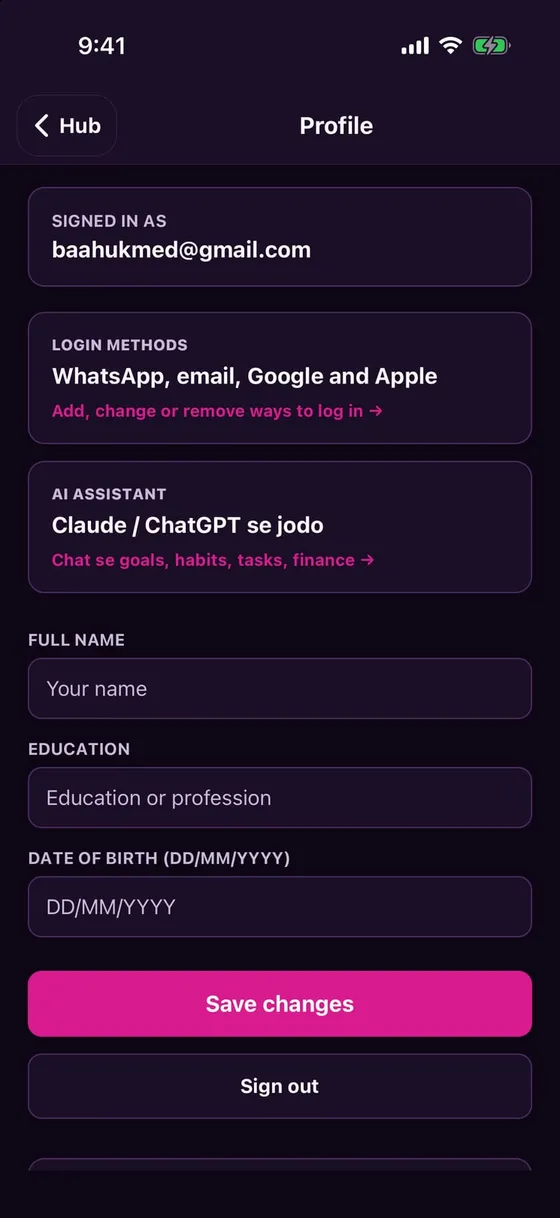
Your data is yours. Delete your account any time from Menu → Profile.

Where do I get help?
Menu → Help, or Telegram: t.me/qurioofficial.

Start today

  1. Log in and pick your course
  2. Do 10 questions in Adaptive mode today

Telegram: t.me/quriommedicine · Web: drlalit.uk/practice